Knowledge Base (RAG)
-c193c2a74e39ae5b3c434562d2ce14f5.png)
The knowledge base gives your agent access to your business-specific information. Instead of relying solely on general AI knowledge, the agent searches your uploaded content to find accurate, relevant answers during conversations.
What Is RAG?
RAG stands for Retrieval-Augmented Generation. It is the technology that allows your agent to look up information from your uploaded data before generating a response.
Here is how it works:
- A customer asks a question
- The agent searches your knowledge base for relevant information
- The agent uses the retrieved information to generate an accurate, grounded response
This means the agent answers based on your actual business data -- not guesses or generic information.
How It Works End-to-End
The process from upload to conversation follows these steps:
- Upload -- you add files or website URLs to the knowledge base
- Processing -- extracts, analyzes, and indexes the content
- Storage -- the processed content is stored securely and made searchable
- Retrieval -- during conversations, the agent queries this content in real time to find answers
Adding Knowledge Sources
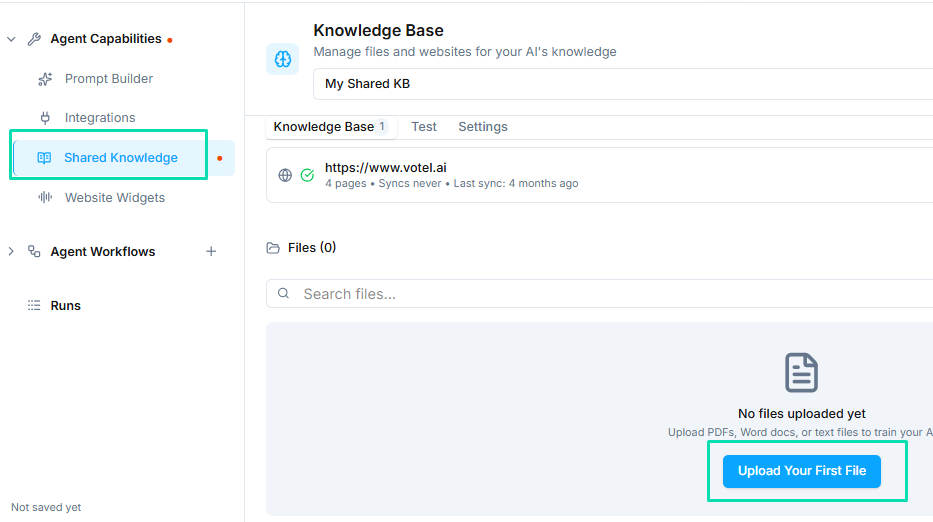
You can train your agent using two methods:
Upload Files
Upload documents in PDF, DOC, or TXT format. Common examples include:
- Product catalogs and pricing sheets
- Company policies and procedures
- FAQ documents
- Training manuals
- Service descriptions
Add Website URLs
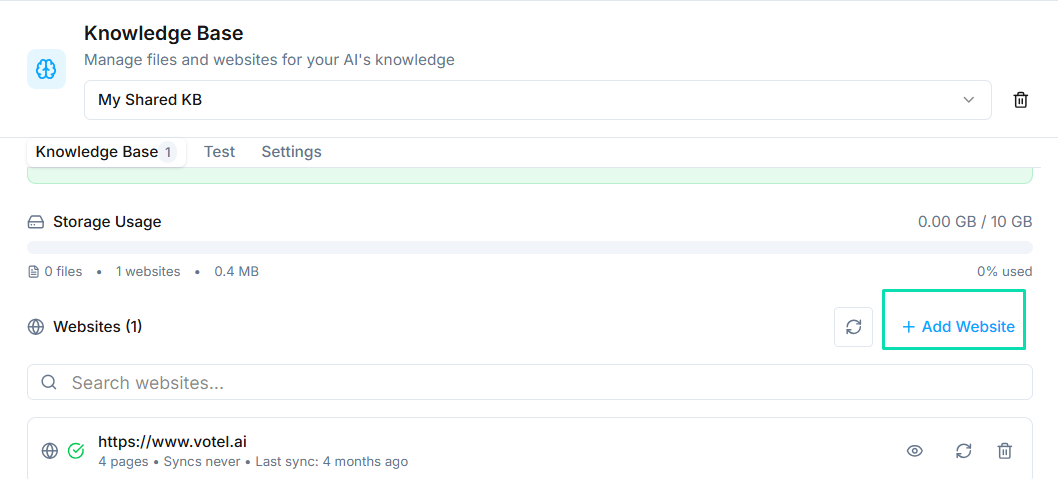
Provide URLs to your website or specific pages. crawls the content, extracts the text, and indexes it for the agent. This is useful for:
- Company websites
- Help center pages
- Blog posts with relevant information
- Product documentation
How the Knowledge Base Processes Content
When you upload a file or add a URL, runs a multi-step process behind the scenes:
- Content Extraction -- reads through every word and line from your files or web pages
- Context Understanding -- identifies key topics, intent, and relationships between pieces of information (product names, prices, policies, etc.)
- Structured Memory Creation -- builds a searchable, structured representation of your content so the agent can recall specific details quickly
- Secure Storage -- all processed data is stored securely within , accessible only when your agent needs to reference it during a conversation
Testing Knowledge Accuracy
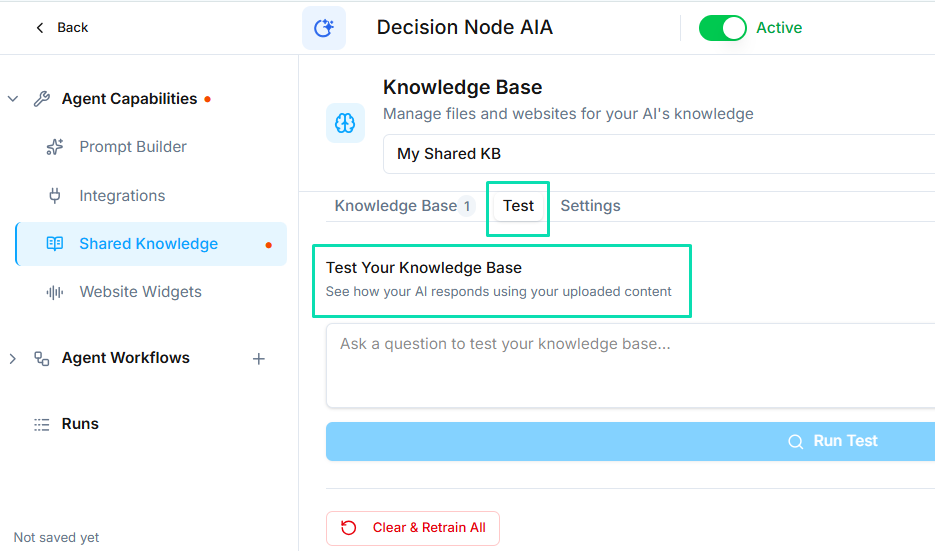
After adding content to the knowledge base, test it:
- Open the test panel in the agent builder
- Ask questions that relate directly to your uploaded content
- Verify that the agent's answers match the information in your files
- Try rephrasing the same question in different ways to check consistency
If the agent gives incorrect or incomplete answers, review your uploaded content to ensure the information is clearly written and easy to extract.
Keeping Knowledge Current
Your knowledge base should reflect the current state of your business. When information changes:
- Upload updated documents to replace outdated ones
- Re-crawl website URLs after making changes to your site
- Remove files that contain outdated or incorrect information
- Test again after updates to confirm accuracy
Next Steps
- Creating an Agent -- configure the agent that uses your knowledge base
- Prompting Guide -- write better prompts that work well with your knowledge base content