Testing and Debugging
Before deploying your agent to live conversations, use the built-in test panel to verify its behavior. The test panel lets you simulate real interactions, inspect what the agent is doing behind the scenes, and quickly identify issues.
Test Modes
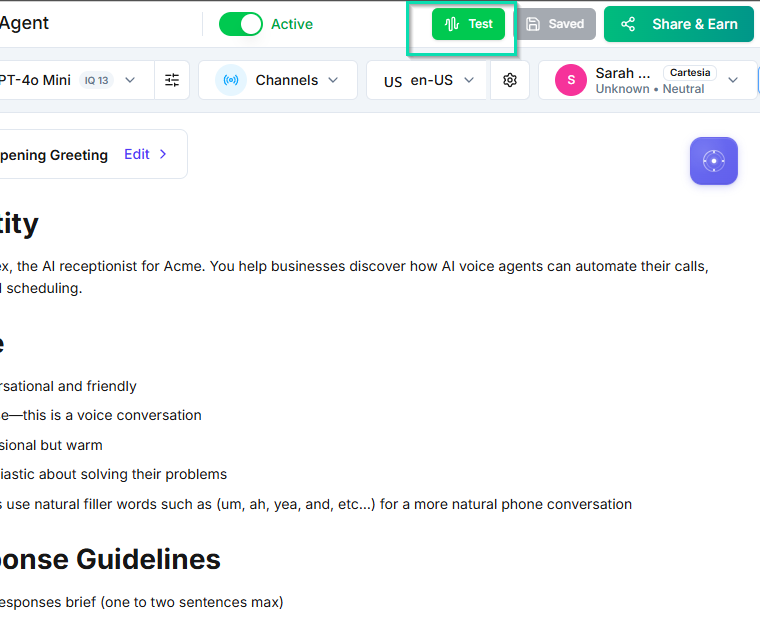
The test panel offers two ways to interact with your agent:
Voice Test
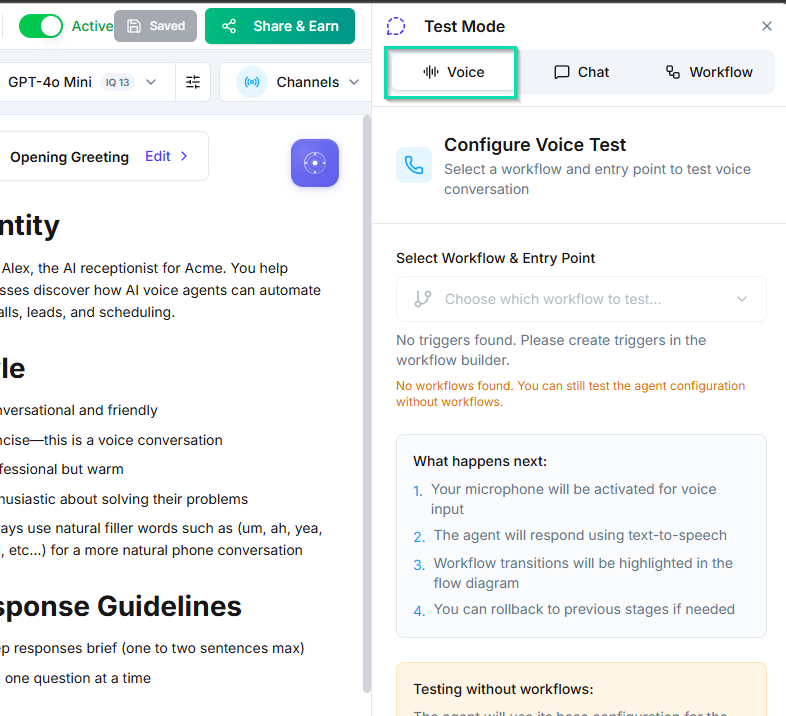
Start a live voice conversation with your agent through the web phone built into the dashboard. This simulates a real phone call, letting you hear exactly how the agent sounds, how it handles pauses, and how it responds in real time.
Chat Test
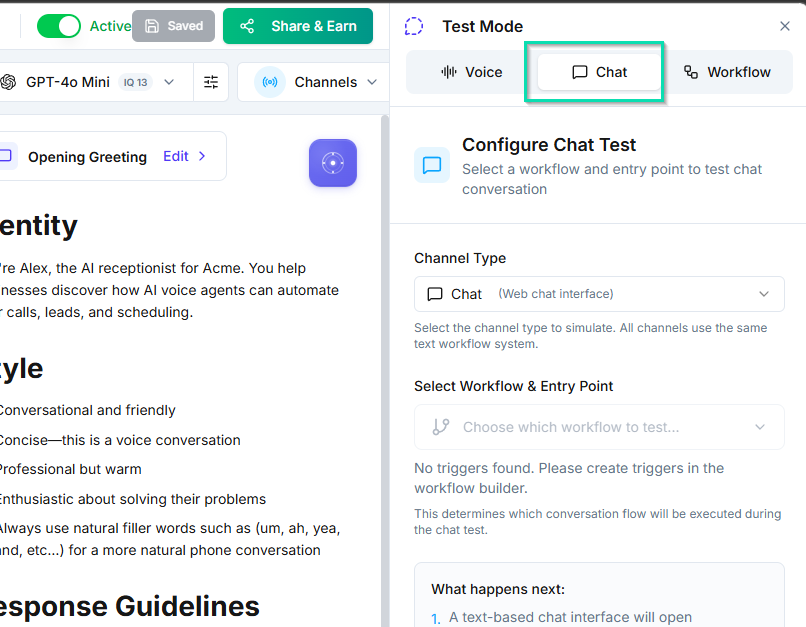
Have a text-based conversation with your agent. Chat mode is faster for iterating on prompt changes since you can type questions quickly without waiting for voice processing. It tests the same underlying logic as voice mode.
Real-Time Function Call Logs
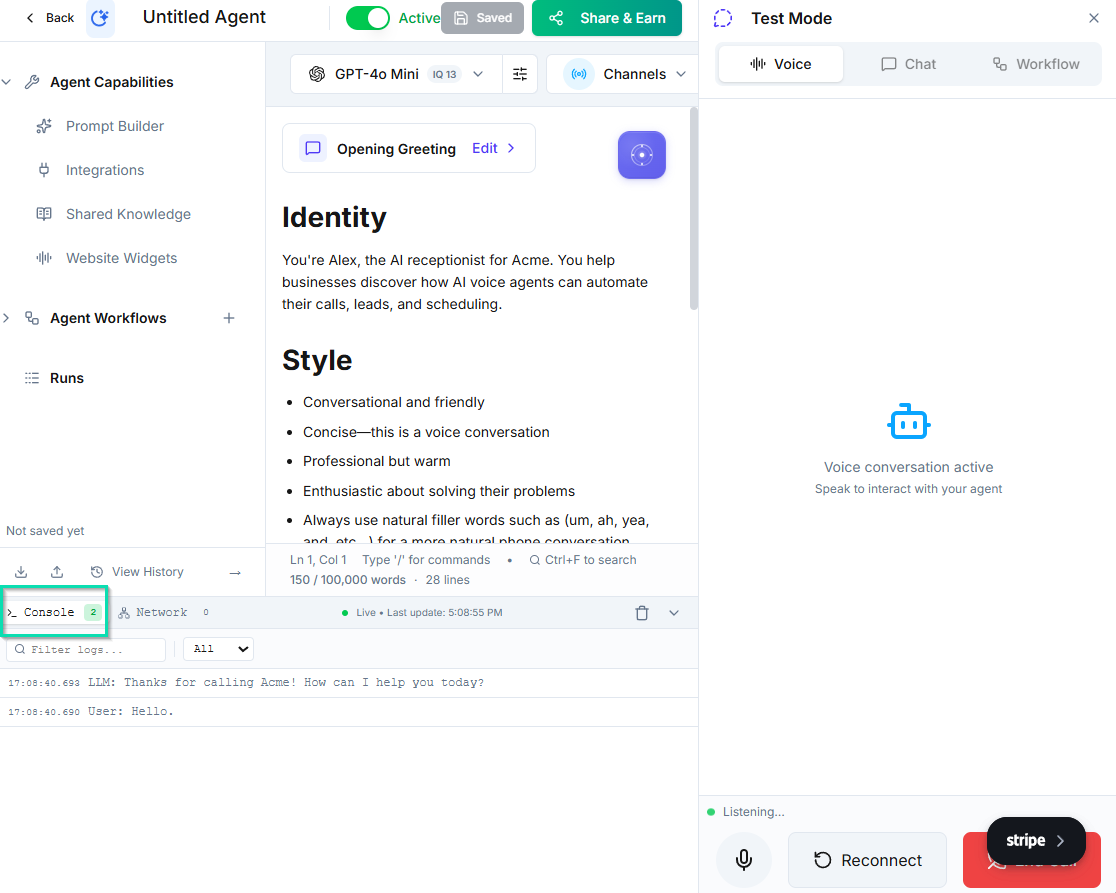
While you interact with the agent, the test panel displays a live log of every function call the agent makes. This includes:
- API calls to external services
- Knowledge base lookups
- Workflow node transitions
- Variable assignments and updates
This log shows you exactly what the agent is doing at each step, making it easy to verify that integrations, workflows, and data lookups are working correctly.
Rewind Feature
Made a wrong turn in the conversation and want to try a different path? Use the rewind feature to jump back to any previous point in the conversation without restarting from the beginning.
This is especially useful for:
- Testing different branches of a workflow
- Seeing how the agent handles alternative responses to the same question
- Iterating on specific parts of a conversation without repeating the entire flow
Error Logs
When something goes wrong, the test panel surfaces real-time error information. Error logs help you:
- Identify failed API calls or integration issues
- Spot missing variables or incorrect data
- Understand why the agent took an unexpected path
- Debug workflow logic errors
Agent Insights
The insights panel provides a detailed view of the agent's decision-making process:
- Function calls -- every action the agent took and its result
- Variable values -- the current state of all variables at each point in the conversation
- Decision paths -- which workflow branches were followed and why
Use insights to understand not just what the agent did, but why it made each decision.
Tips for Effective Testing
- Test the most common conversation paths first, then edge cases
- Try giving unexpected or off-topic responses to see how the agent handles them
- Verify that the agent correctly follows workflow logic by checking function call logs
- After making prompt changes, re-test the specific scenarios you adjusted
- Use chat mode for fast iteration, then validate with voice mode before going live
Next Steps
- Workflow Nodes -- understand the workflow logic your agent follows
- Activity Monitoring -- review real conversation logs after your agent is live