Interface Overview
The Inbox is divided into three main panels that work together to provide a comprehensive view of your conversations.
Conversation List (Left Panel)
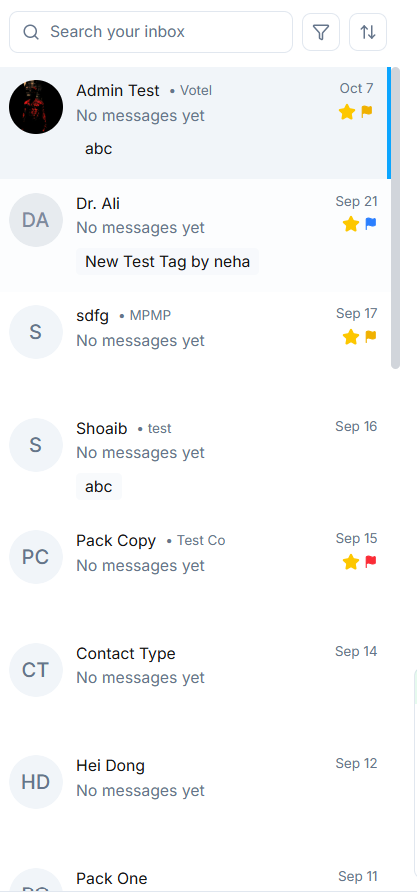
- Displays all contacts and recent conversations.
- Each contact shows the name, last message snippet, and status indicator (unread, flagged, or starred).
- You can quickly search or filter conversations.
- Click on any contact to open the detailed conversation thread.
Layout Structure
The three-panel layout includes:
- Left Panel: Conversation list with all your contacts
- Center Panel: Active conversation thread with message history
- Right Panel: Lead insights and contact details
This organized structure allows you to manage conversations efficiently while having instant access to important customer information.