Search & Filters
Efficiently find and organize conversations using powerful search and filtering capabilities.
Search Bar
At the top of the Inbox, the Search Bar allows you to instantly locate messages, contacts, or leads by entering the text:
- Name
- Company
- Phone number
Filters and Sorting
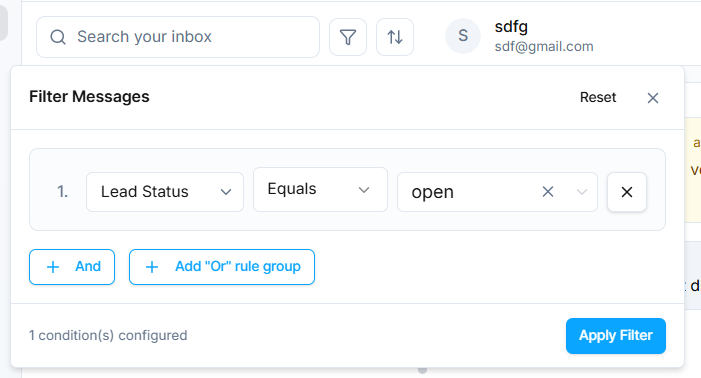
The Filter and Sort tools make managing large volumes of messages effortless:
- Apply filters like Names, Contact Details, Pipeline, Activity and many other options.
- You can also combine multiple filters to narrow down results, for example, search for contacts with a specific first name and company simultaneously.
Sorting Options
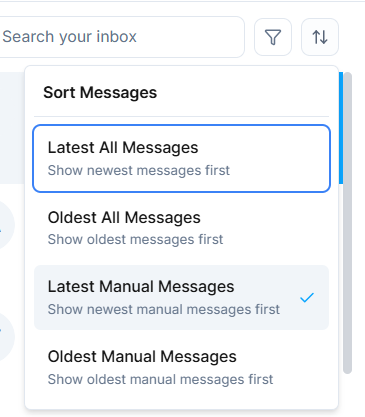
Use Sorting Options to organize your inbox by:
- Newest - Most recent conversations first
- Oldest - Oldest conversations first
- Manual - Custom ordering
- All - View all conversations
These tools help you quickly find the exact conversation you need, even in a busy inbox with hundreds or thousands of messages.