Views & Layouts
Votel offers two viewing modes for managing leads: Pipeline View and Table View, allowing teams to switch between visual and data-focused perspectives seamlessly.
Pipeline View
- The Pipeline View provides a Kanban-style layout, showing leads as cards under different stages such as Review, To Do, In Progress, and Done.
- This view helps you visually track where each lead currently stands in your process.
- You can drag and drop lead cards between stages to instantly update their progress.
- Perfect for teams that manage deals, follow-ups, or sales activities and need a quick at-a-glance overview of ongoing opportunities.
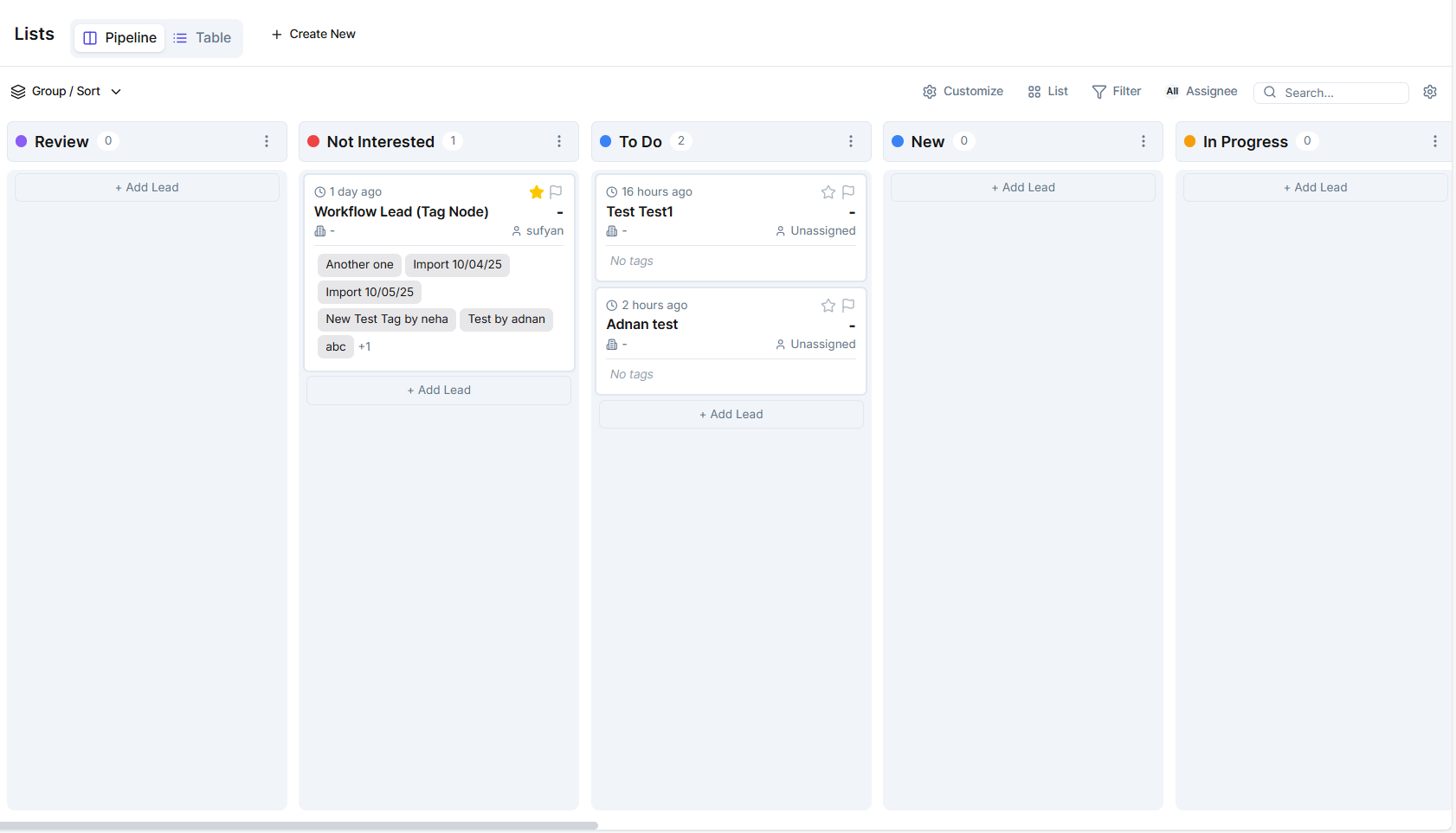
Table View
-
The Table View presents your leads in a spreadsheet-style layout, where each row is a lead and each column represents a specific attribute (e.g., Name, Email, Company, Tags, etc.).
-
It's ideal for users who prefer data-heavy management, filtering, and mass editing.
-
You can customize visible columns, sort or group data, and export leads for reporting or further analysis.

💡 You can switch between both views anytime, depending on your workflow preference.
Create Your Own Views
Click "+ Create New" at the top to design your own custom List View. You can select specific filters, groupings, or columns to create a personalized workspace, such as "High-Priority Leads" or "Unassigned Contacts." Once saved, these views can be quickly accessed by all team members, ensuring everyone works with consistent, relevant data.
Managing Lists View
Once you've created your list, you can make it according to your business needs. You can:
- Customize card fields to show only relevant lead information.
- Group leads into columns like New, Contacted, Won, Lost, etc.
- Assign team members to specific leads for collaboration.