Contact Details Sidebar
The right panel in the conversation view displays complete information about the contact you are communicating with. It gives your team instant access to lead data, custom fields, billing history, and communication preferences - all without leaving the conversation.
What Is in the Sidebar
The contact details sidebar includes the following sections:
- Contact information - name, phone number, email address, company, and any other standard fields.
- Pipeline stage - the contact's current position in your pipeline.
- Tags - labels applied to the contact for organization and filtering.
- Custom fields - any additional fields you have configured for your workspace.
- Activity history - a log of recent interactions and events.
Customizing the Layout
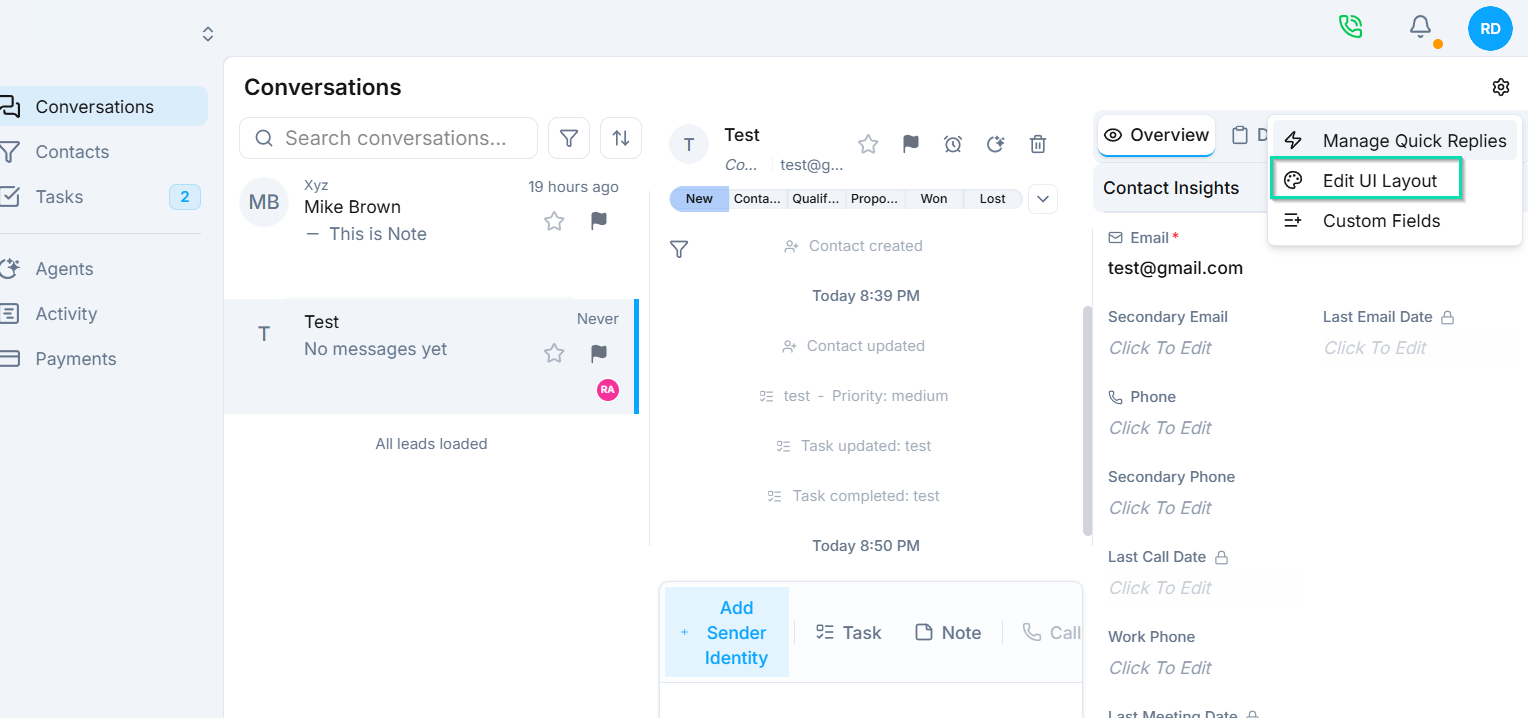
The sidebar is fully customizable. You can:
- Drag and drop fields and sections to reorder them.
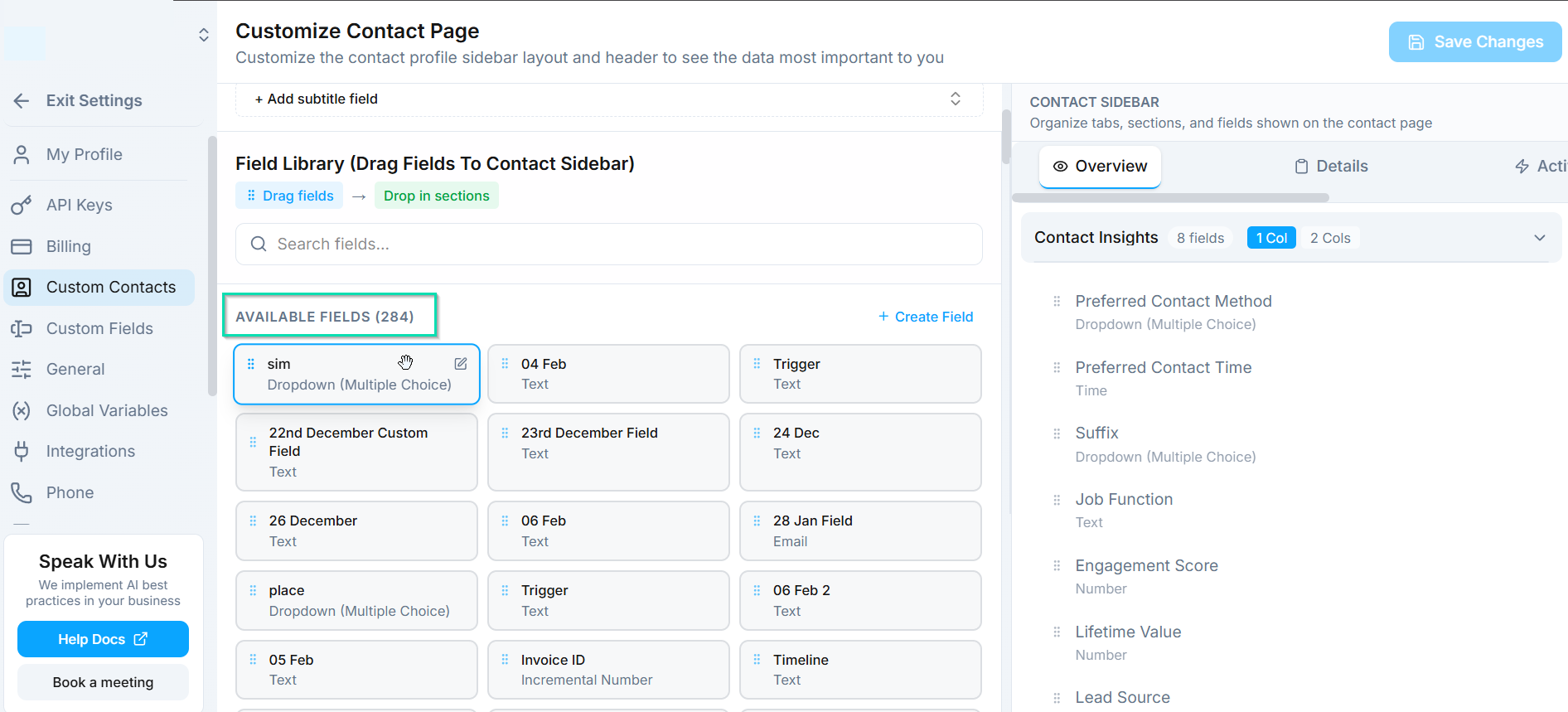
- Add or remove sections to show only what matters for your workflow.
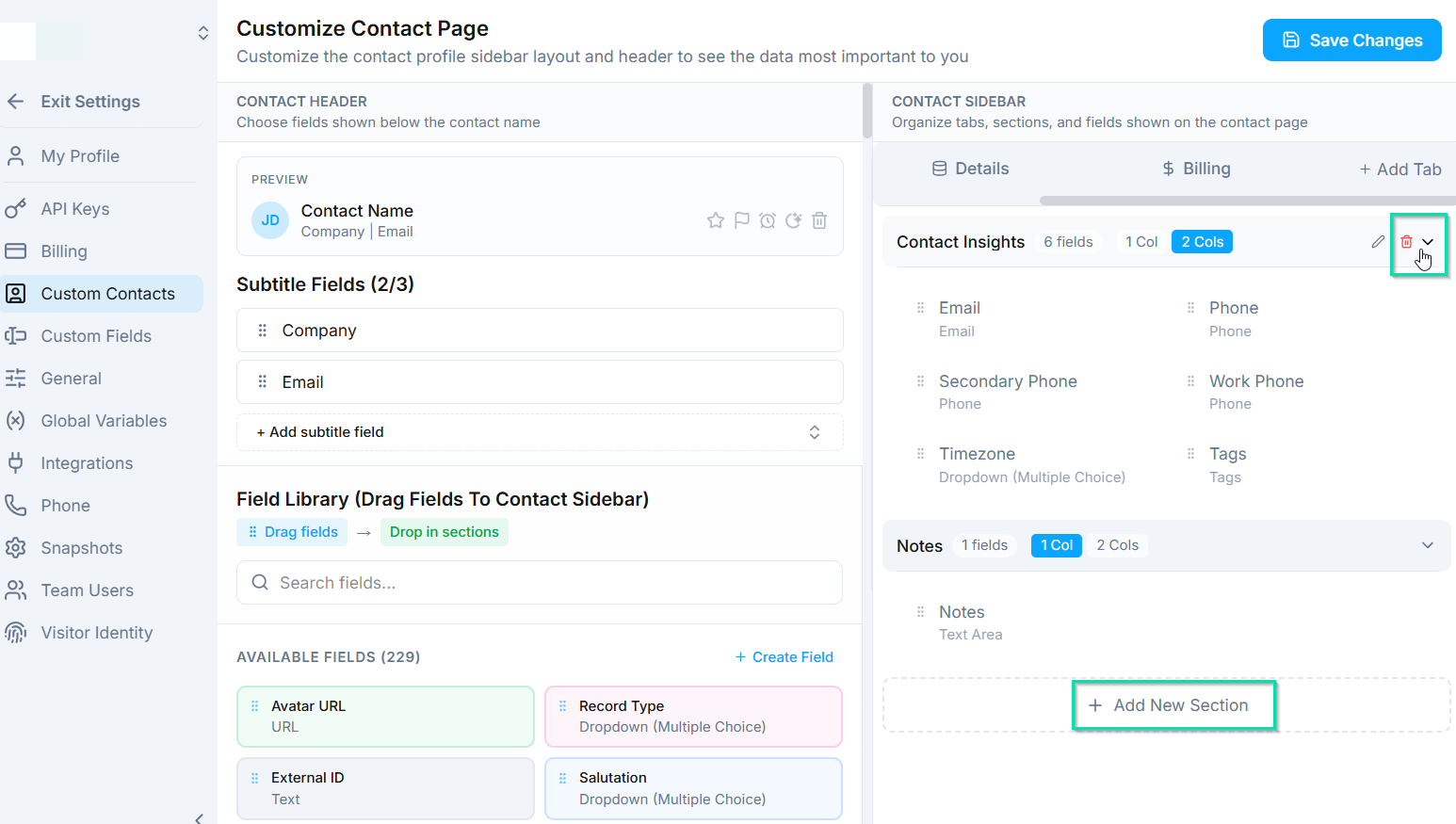
- Rearrange information so the most important details are at the top.
This lets each team tailor the sidebar to their specific needs - a sales team might prioritize deal value and pipeline stage, while a support team might prioritize recent tickets and account status.
Do Not Disturb (DND)
-25718c7b8ff4f131c1c0e9abf7ea708d.png)
Set channel-specific opt-outs for a contact directly from the sidebar. For example:
- Opt a contact out of SMS while keeping email active.
- Disable all outbound communication for a contact temporarily.
- Respect a contact's channel preferences without removing them from your system.
DND settings are applied per channel, giving you fine-grained control over how you communicate with each contact.
Block Spam Callers
If you receive unwanted calls from a specific number, you can block it directly from the contact sidebar. Blocked numbers will no longer be able to reach your agents by phone.
Billing Tab
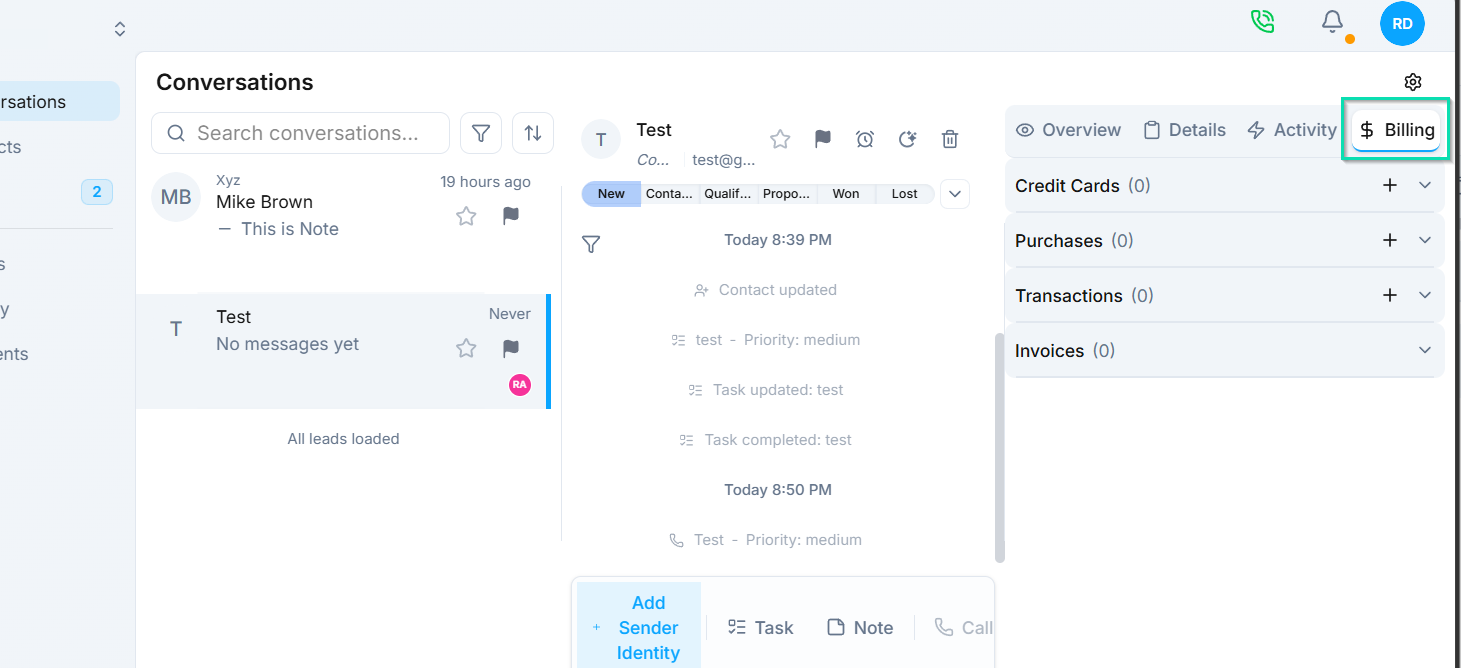
If you use Stripe for payments, the billing tab displays the contact's financial information, including:
- Active subscriptions - current plans and billing cycles.
- Purchases - one-time transactions and order history.
- Payment history - a complete record of charges, refunds, and payment status.
This gives your team full financial context during conversations, which is especially useful for billing inquiries and account management.
Custom Fields
View and edit any custom fields you have configured for your workspace. Custom fields appear in the sidebar alongside standard contact information, so all relevant data is accessible in one place.
Next Steps
- Custom CRM Layout - configure how contact data is displayed across the platform
- Billing - manage Stripe integration, products, and subscriptions