SaaS Configurator
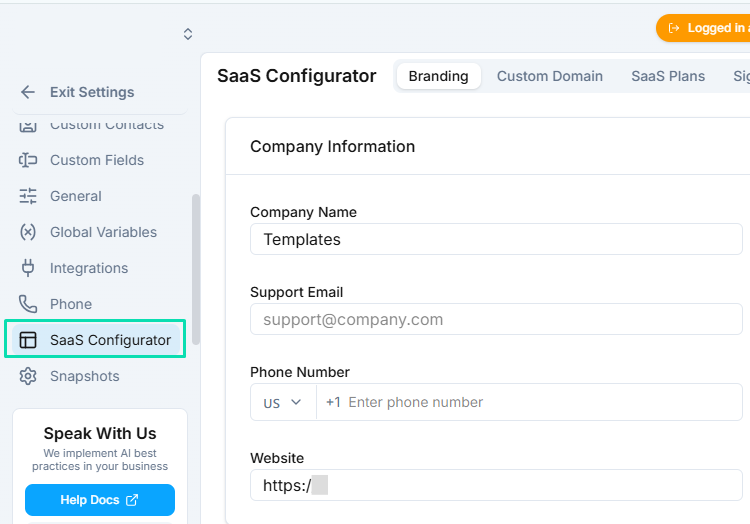
The SaaS Configurator is where you define your white label brand identity. Set your company name, upload logos, and configure the support details your clients will see throughout the platform.
Company Branding
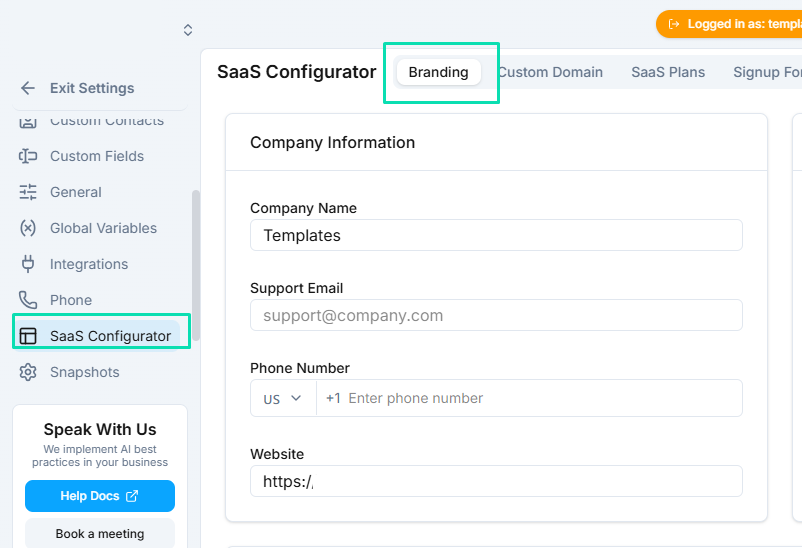
Start by setting the basics that appear across your white label platform:
- Company name --- this replaces "" everywhere in the interface.
- Light logo --- displayed on dark backgrounds.
- Dark logo --- displayed on light backgrounds.
Upload both logo versions to ensure your brand looks correct regardless of which theme your clients use.
Support Information
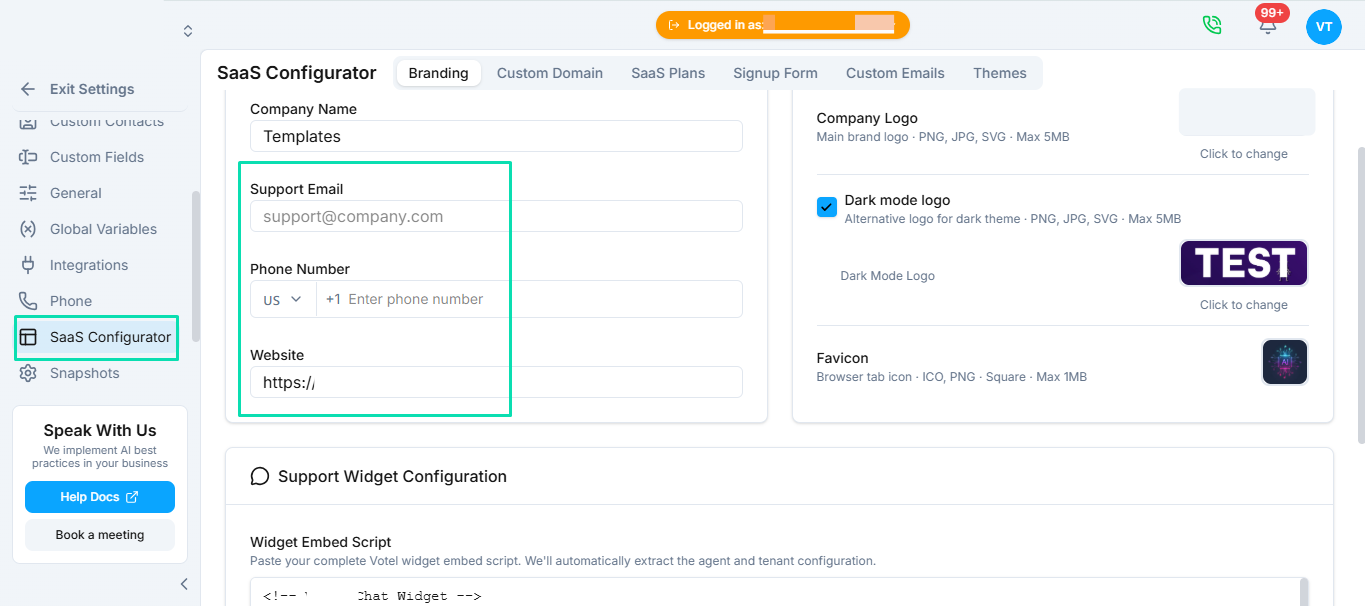
Configure the support details your clients will see when they need help:
- Support email --- the email address for client inquiries.
- Website URL --- link to your company website or help center.
- Phone number --- a support phone number for direct contact.
Support Widget
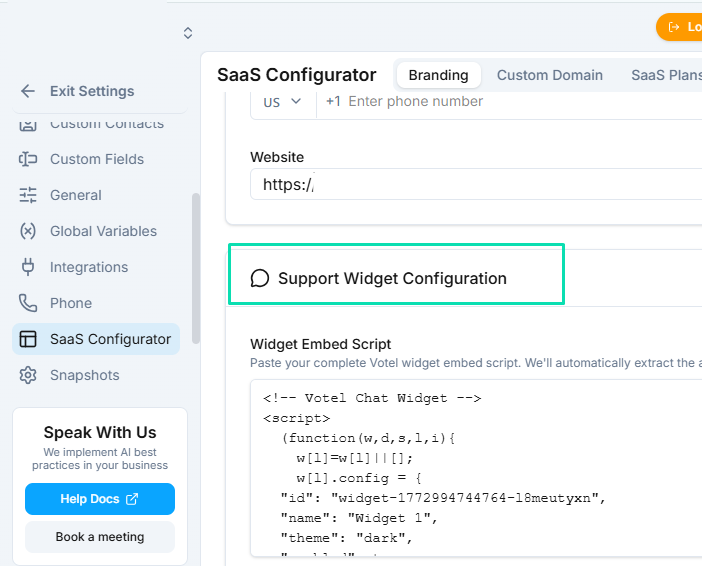
Add a live support widget to your white label platform by pasting an embed code. This gives your clients instant access to a chat widget, help desk, or knowledge base directly inside the app.
Paste the embed code from your preferred support tool (Intercom, Crisp, or any widget that uses a JavaScript snippet) and it will appear on every page of your platform.
Next Steps
- Custom Domain --- connect your own domain so clients see your brand in the URL
- Themes --- customize colors and appearance to match your brand