Deliverability Settings
Deliverability settings help you protect your sender reputation and ensure your messages actually reach your contacts. By verifying email addresses and phone numbers before sending, you reduce bounces, avoid spam traps, and improve overall campaign performance.
Email Verification
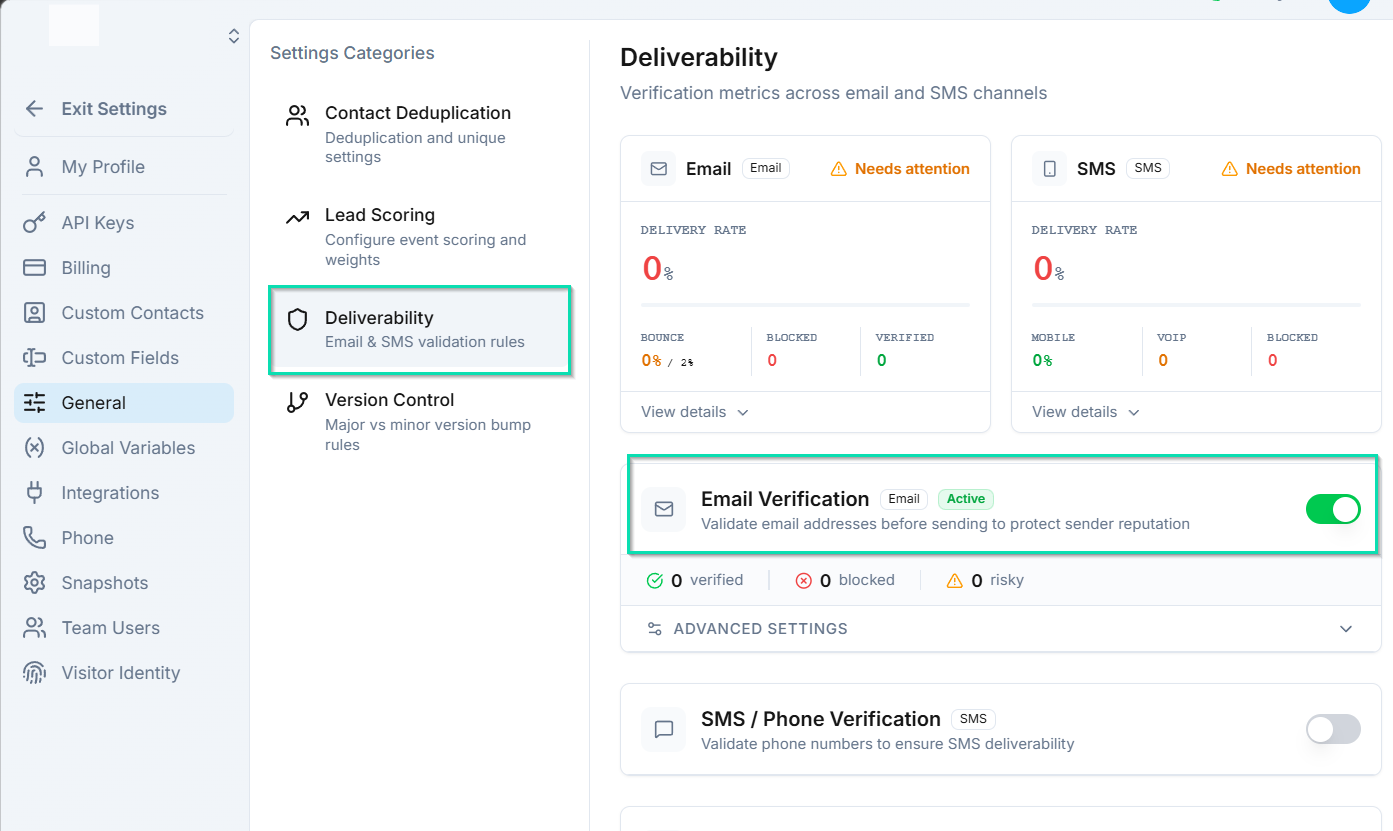
Enable email verification to validate email addresses before sending. checks that the email address exists and is able to receive messages. This catches typos, invalid addresses, and inactive mailboxes before they cause bounces.
Block Disposable Emails
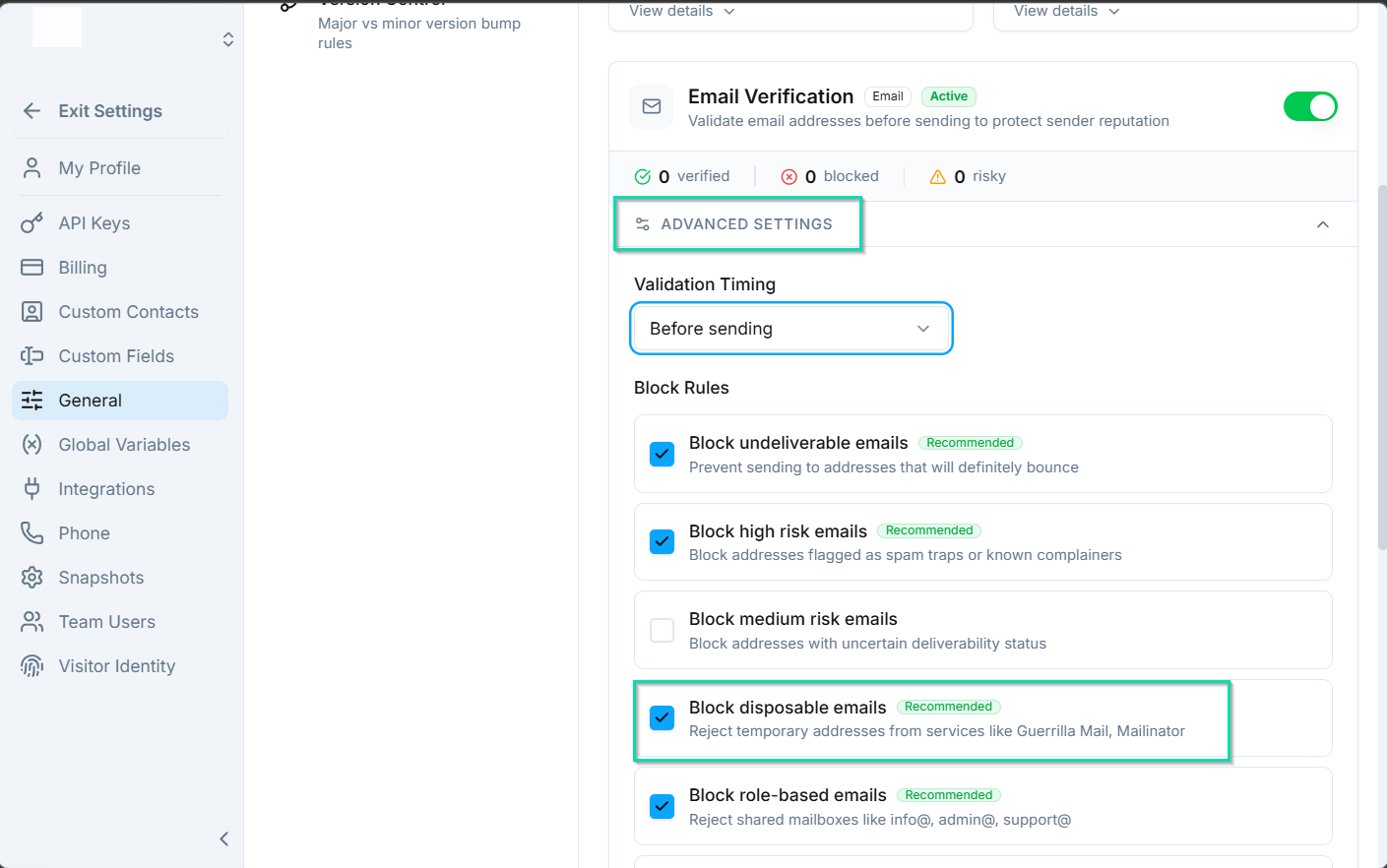
Disposable email services (like Mailinator or Guerrilla Mail) provide temporary addresses that expire after a short time. Enable this setting to automatically block contacts with disposable email addresses from entering your CRM. This keeps your contact list clean and ensures you are reaching real inboxes.
Block High-Risk Emails
Some email domains are associated with spam, fraud, or low engagement. Enabling this setting filters out contacts with email addresses from known problematic domains, reducing the risk of spam complaints and protecting your sender reputation.
SMS Phone Verification

Before sending SMS messages, can verify that a phone number is a mobile number rather than a landline. Since landlines cannot receive text messages, this check prevents failed deliveries and wasted messaging credits.
Bounce Suppression
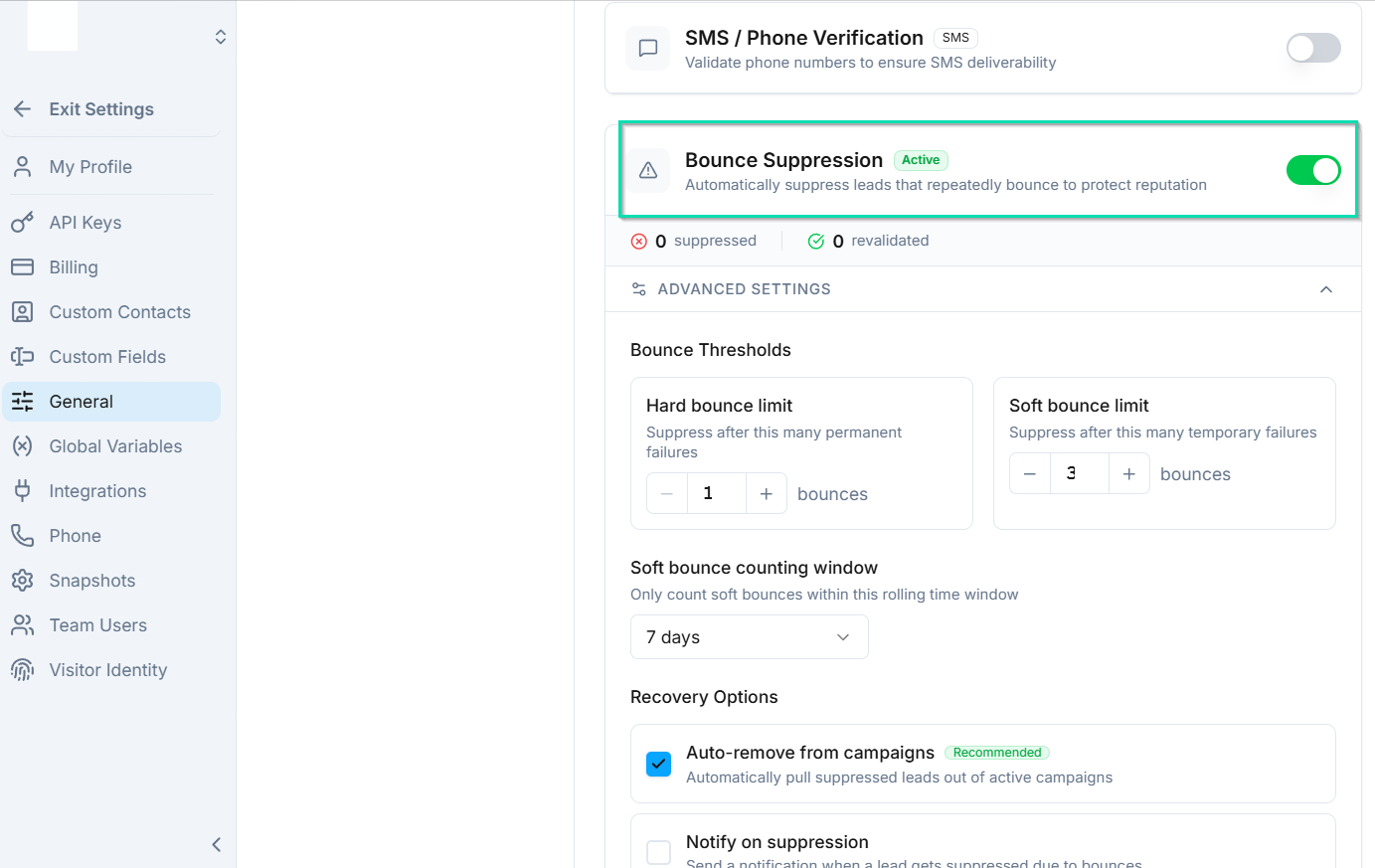
When an email bounces (the recipient's server rejects it), automatically suppresses that email address from future sends. This prevents you from repeatedly sending to bad addresses, which would damage your sender reputation and lower your deliverability rates over time.
Bounce suppression works automatically once enabled - no manual management required.
Recommended Configuration
For the best results, enable all deliverability settings:
| Setting | Recommendation |
|---|---|
| Email verification | On |
| Block disposable emails | On |
| Block high-risk emails | On |
| SMS phone verification | On |
| Bounce suppression | On |
Running all checks adds minimal processing time and significantly improves your message delivery rates and sender reputation.
Next Steps
- Sender Identities - configure the email addresses and phone numbers you send from
- Email Node - set up automated email sends in your workflows