Smart Calendar Booking Node
The Smart Calendar Booking node lets your AI agent book appointments directly within a workflow conversation. It handles availability checking, information gathering, and calendar creation in a single node.
How It Works
When the workflow reaches this node, the AI agent guides the caller through the booking process. It checks your connected calendar for availability, asks the required questions, and creates the appointment --- all within the natural flow of conversation.
Required Questions
The node automatically asks for the information needed to create the booking:
- Preferred date and time
- Contact name (if not already known)
- Any other fields required by your calendar configuration
You do not need to set up separate Ask and Save nodes for this information. The booking node handles it.
Custom Questions
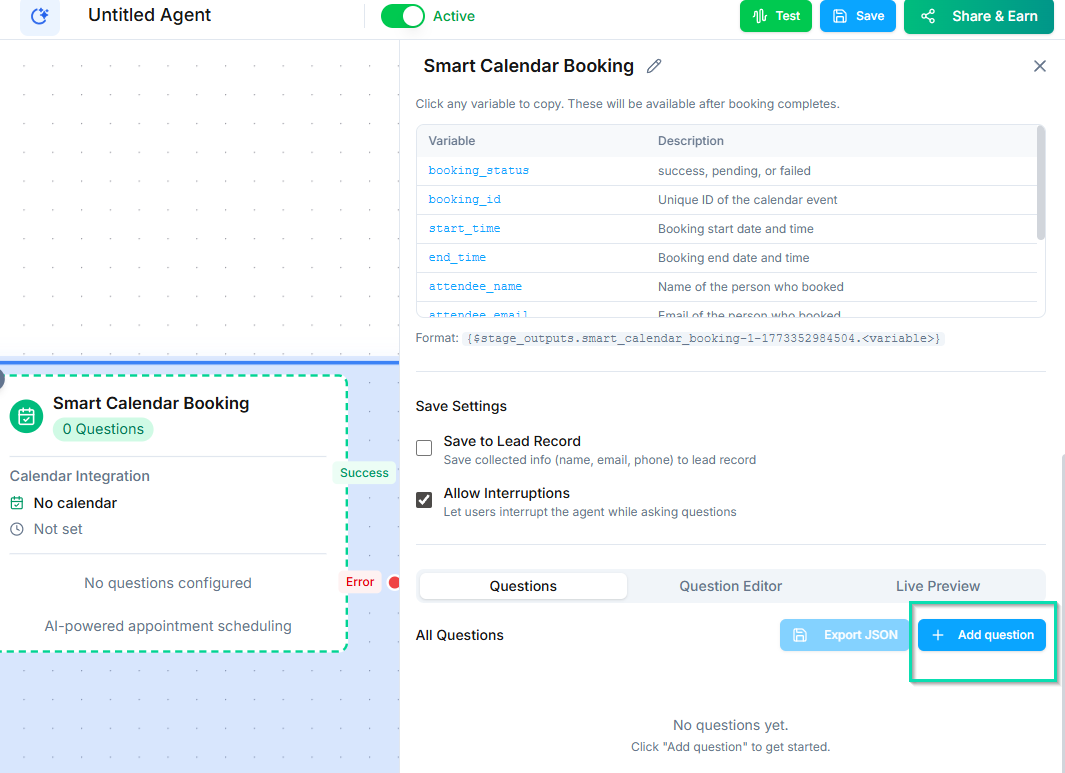
Add qualifying questions that the agent asks before confirming the booking. These are useful for:
- Collecting the reason for the appointment
- Asking about specific service preferences
- Gathering insurance or account information
- Pre-screening callers before booking
Custom question responses are stored with the appointment.
Calendar Integration
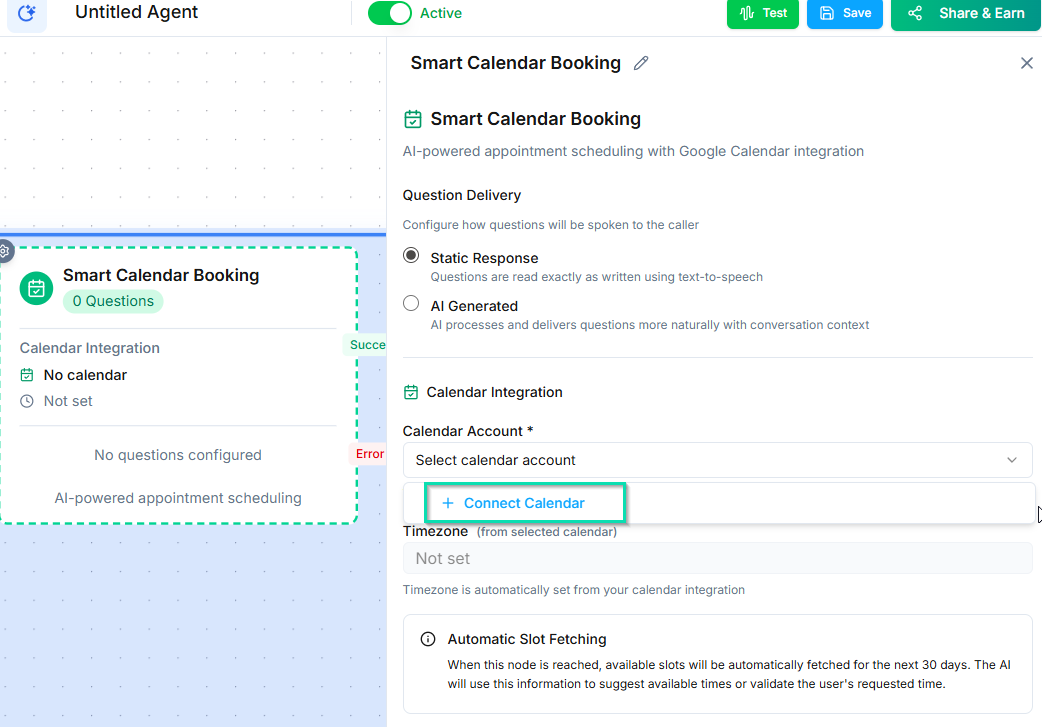
The Smart Calendar Booking node works with connected calendar services:
- Google Calendar --- checks real-time availability and creates events.
- Other supported calendars --- any calendar connected through your integrations.
The node automatically respects your availability settings, buffer times, and booking windows.
Tips
- Make sure your calendar integration is connected and configured before using this node.
- Set clear availability windows so the agent only offers times when you are actually free.
- Use custom questions to reduce no-shows by collecting commitment and context upfront.
Next Steps
- Availability Check Node --- check calendar availability without booking
- Triggers --- use the Appointment Scheduled trigger to automate post-booking actions