Extract Dynamic Variables Node
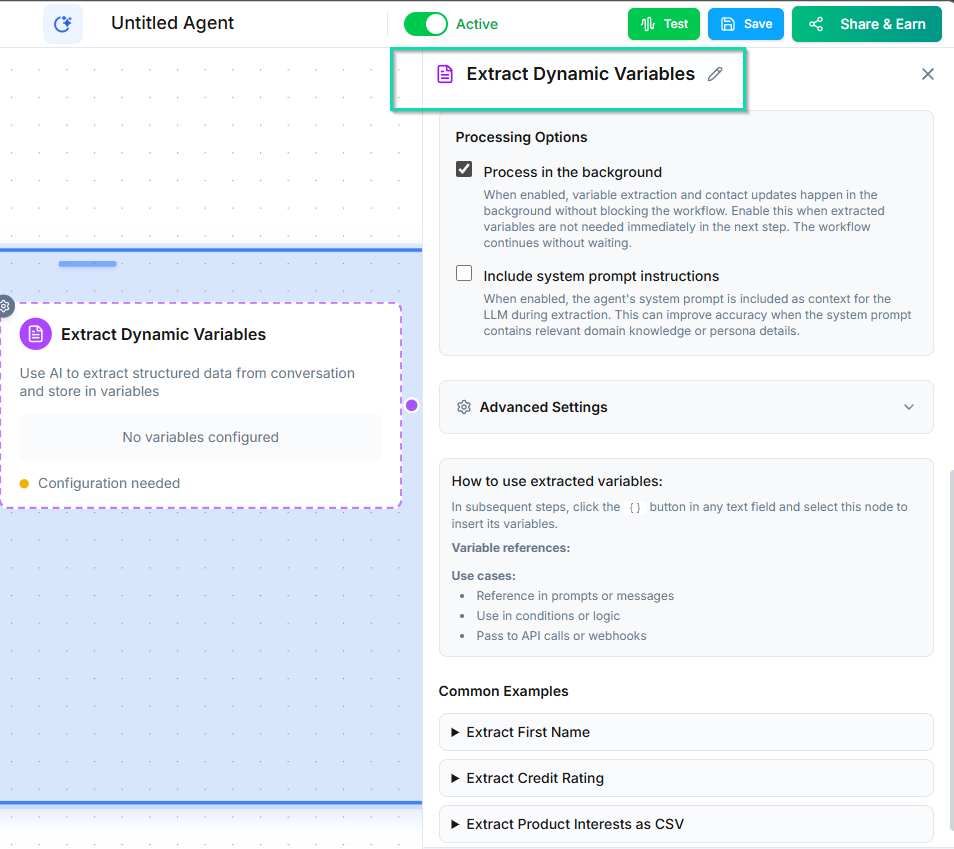
The Extract Dynamic Variables node pulls structured data from free-form, non-linear conversations. Use it when callers provide information naturally throughout a conversation rather than in response to specific questions.
How It Works
After a conversation node runs, the Extract Dynamic Variables node analyzes the full conversation transcript and extracts specific pieces of information you define. The extracted data is saved as variables you can use in subsequent nodes.
Unlike Ask and Save --- which collects one specific answer to one specific question --- this node can pull multiple data points from an unstructured conversation.
Configuration
Define the variables you want to extract. For each variable, provide:
- Variable name --- what to call the extracted value (e.g.,
order_items,sentiment). - Description --- tell the AI what to look for (e.g., "all menu items the caller ordered, with quantities").
Example: Restaurant Order
A caller places a takeout order through a natural conversation. They mention items at different points, change their mind, and add extras. After the conversation, the Extract Dynamic Variables node can pull out:
- Items ordered --- "2 large pizzas, 1 Caesar salad, 3 sodas"
- Special requests --- "no onions on the pizza, extra dressing"
- Pickup time --- "6:30 PM"
- Total items --- "6"
All of this is extracted from the natural flow of conversation, not from individual Q&A prompts.
Common Use Cases
- Sentiment analysis --- Extract the caller's overall sentiment or satisfaction level.
- Order details --- Pull item lists, quantities, and modifications from order conversations.
- Issue categorization --- Identify the type of support issue from a free-form description.
- Meeting notes --- Extract action items, decisions, and key topics from a conversation.
Tips
- Write clear, specific descriptions for each variable so the AI knows exactly what to extract.
- This node works best after a conversation node where the caller has had a chance to share information naturally.
- Use the extracted variables in Update Contact nodes to save the data to the contact's record.
Next Steps
- Generate Content Node --- use extracted data to create personalized follow-up content