Conversation Node
The Conversation Node is the primary building block for AI-driven dialogue. It controls what your agent says, how it responds, and where the conversation goes next based on caller intent.
Response Types
Each Conversation Node can use one of two response modes:
Static Responses
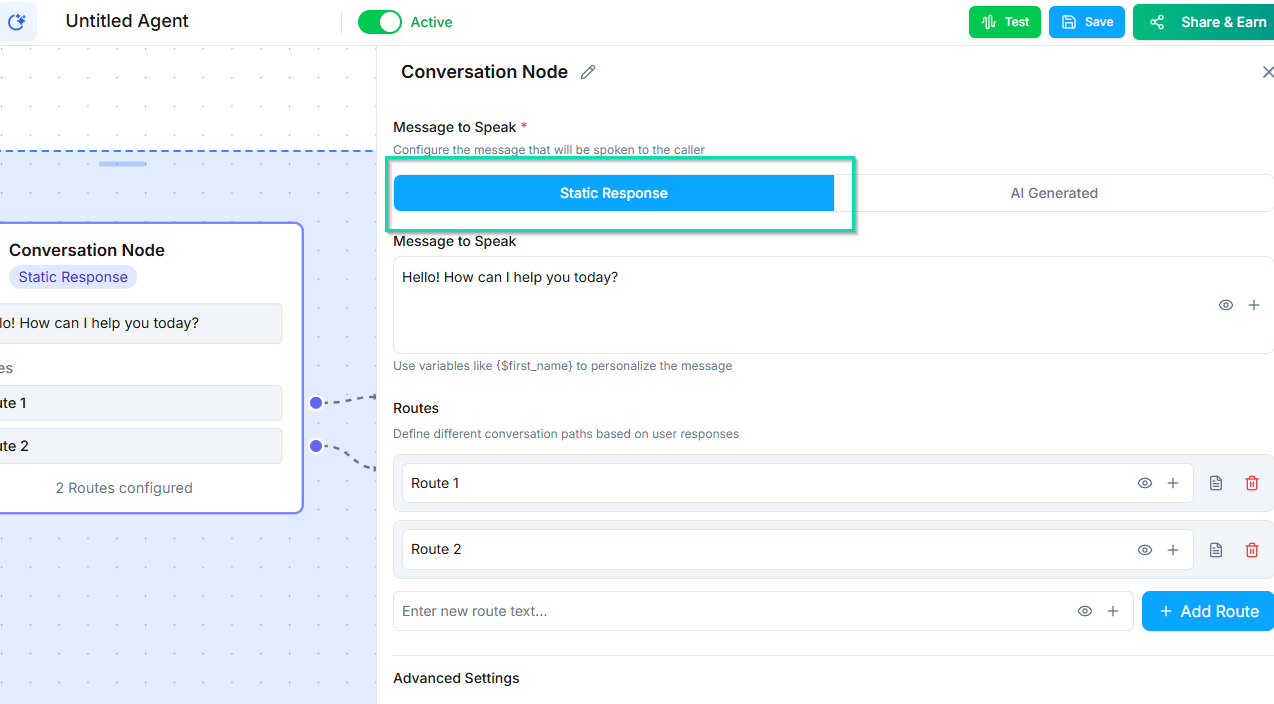
The agent says the exact same text every time it reaches this node. Use static responses for greetings, disclaimers, or any message that should never vary.
AI-Generated Responses
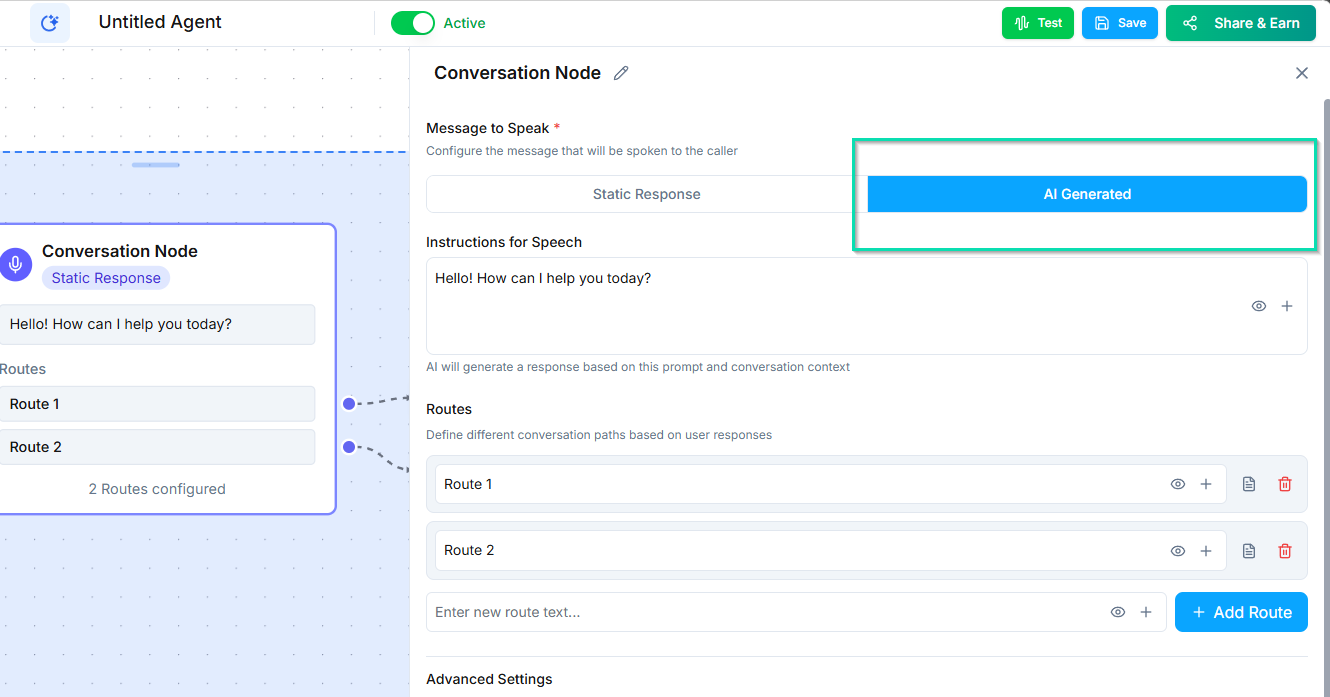
The agent dynamically generates its response based on the conversation context and any instructions you provide in the node. This is the more common mode - it lets the agent adapt naturally to what the caller is saying.
You can provide instructions to guide the AI's response, such as "Ask the caller how you can help them today" or "Explain our return policy."
Routes
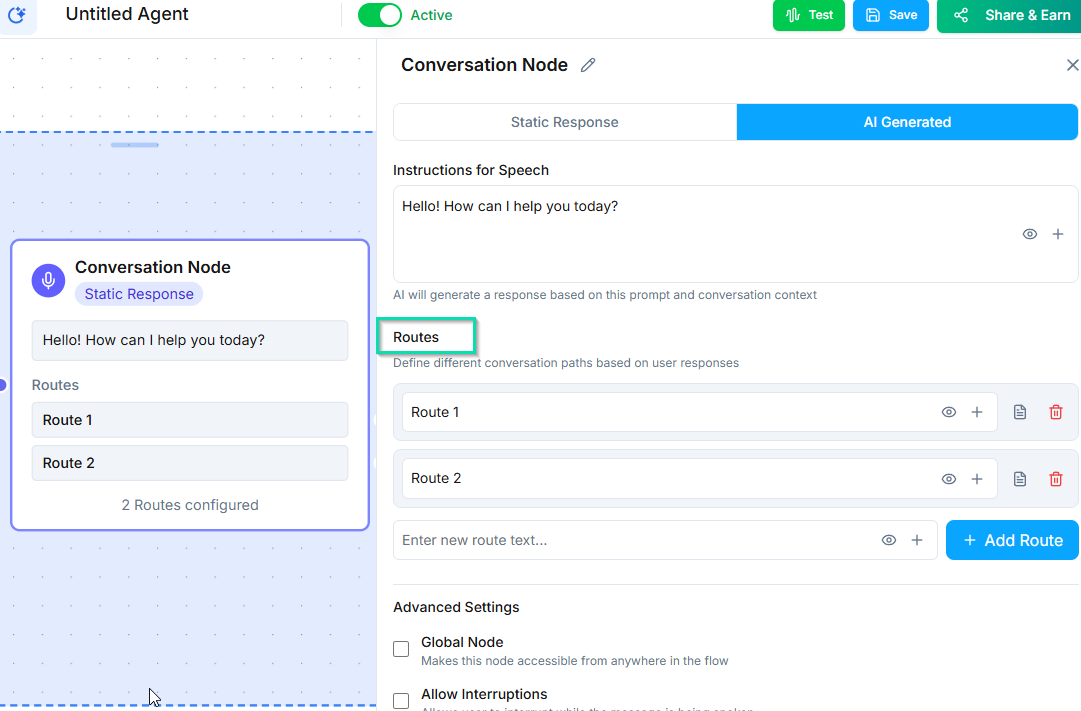
Routes let you branch the conversation based on caller intent. Each route represents a possible direction the conversation can take.
A route has:
- Title - the intent label (e.g., "Sales," "Support," "Billing").
- Synonyms - alternative words or phrases that should match this route (e.g., "buy," "purchase," and "pricing" can all map to the "Sales" route).
- Fine-tuning instructions - optional guidance to help the AI classify the intent more accurately.
When the caller's response matches a route, the workflow follows the connection from that route's output to the next node.
Synonyms
Synonyms improve routing accuracy. If your route is titled "Schedule Appointment," you might add synonyms like:
- "book a time"
- "set up a meeting"
- "make an appointment"
- "reserve a slot"
The AI uses these synonyms alongside the route title to determine the best match.
Auto-Continue
When enabled, the workflow automatically moves to the next connected node after the agent finishes speaking. The agent does not wait for a caller response.
Use auto-continue for informational messages where no reply is expected, or to chain multiple statements together.
Stay on Node
When enabled, the conversation stays within this node until the caller's response matches one of the defined routes. The agent will continue engaging with the caller - rephrasing, asking clarifying questions, or repeating information - until it can confidently route them.
This prevents the conversation from advancing prematurely when the caller has not clearly stated their intent.
Interruptions
Control whether the caller can interrupt the agent while it is speaking.
- Enabled - the caller can speak over the agent and the agent will stop to listen. This feels more natural in most conversations.
- Disabled - the agent finishes its full response before listening. Useful for important disclosures or legal disclaimers that must be delivered in full.
Global Node Option
Any Conversation Node can be marked as a Global Node. When enabled, this node can be triggered from anywhere in the workflow - not just from directly connected nodes.
This is useful for handling requests that can come up at any point in the conversation, like "I want to speak to a manager" or "What are your hours?" See the Global Node page for more details.
Next Steps
- Global Node - handle off-track requests from anywhere in the workflow
- Classifier Node - classify conversations by sentiment, intent, or urgency
- Ask and Save Node - collect and store caller information