Search AI Knowledge Base Node
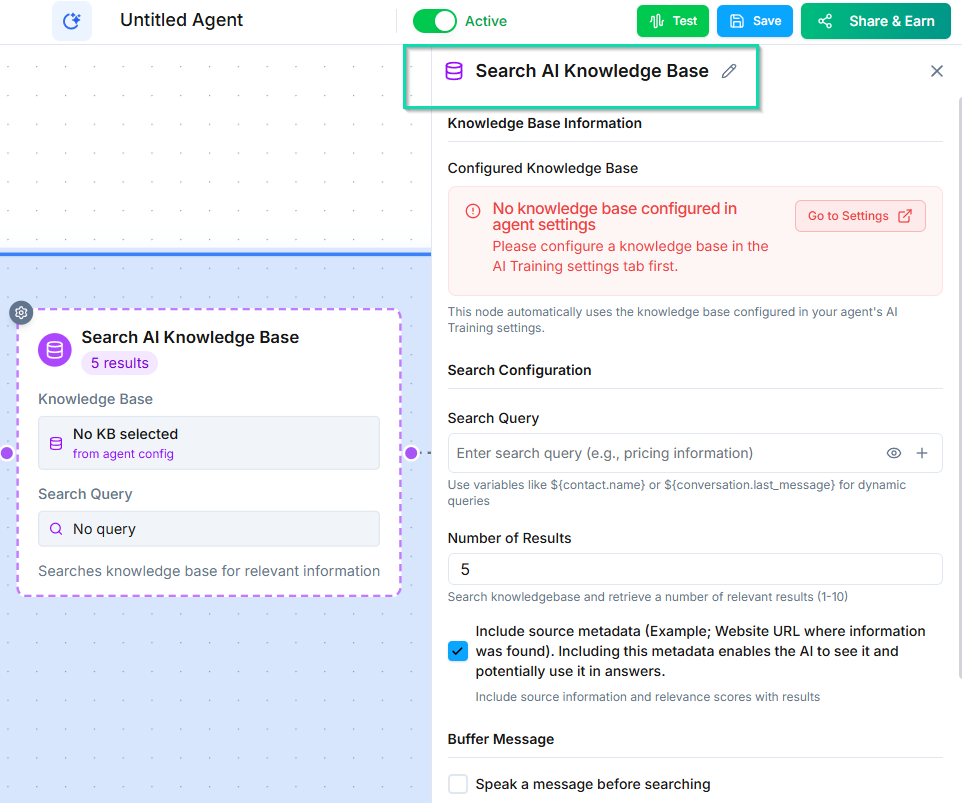
The Search AI Knowledge Base node queries your knowledge base mid-workflow to retrieve specific information. Use it when your agent needs to look up details that are not part of the general system prompt context.
How It Works
When the workflow reaches this node, it searches your knowledge base using a query you define. The query can include workflow variables to make it context-aware. The results are returned as information the agent can reference in subsequent conversation nodes.
Configuration
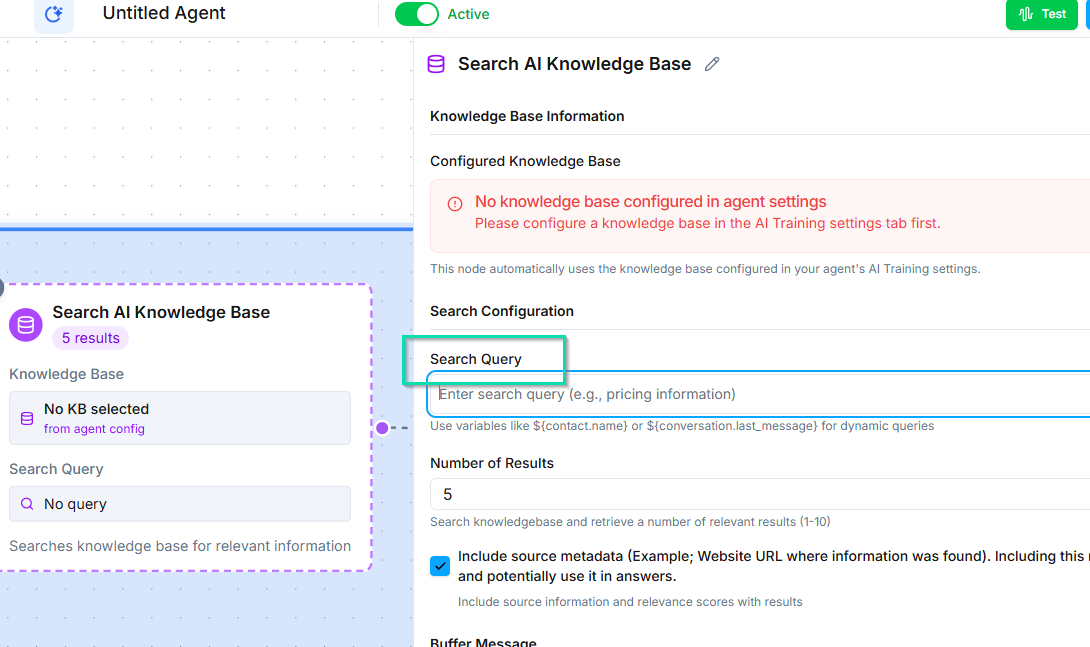
- Search query --- define what to search for. Use variables to make queries dynamic (e.g.,
pricing for {{product_name}}). - Knowledge base selection --- choose which knowledge base to search.
Multiple Knowledge Bases
If your business has multiple brands, locations, or product lines, you can maintain separate knowledge bases for each. The Search Knowledge Base node lets you target the right one based on context.
Example: A multi-location dental practice could search the specific location's knowledge base based on which number the caller dialed.
Common Use Cases
- Product lookups --- Search for pricing, specs, or availability based on what the caller asks about.
- Policy information --- Pull up return policies, warranty terms, or service agreements on demand.
- Location-specific details --- Retrieve hours, addresses, or staff information for a specific branch.
- Procedure details --- Look up step-by-step processes or eligibility requirements.
Tips
- Keep your knowledge base content well-organized with clear headings and sections for more accurate search results.
- Use specific queries rather than broad ones to get the most relevant results.
- Update your knowledge base regularly to ensure the agent always has current information.
Next Steps
- Knowledge Base --- set up and manage your knowledge base content