Decision Node
The Decision Node branches your workflow based on data conditions - field values, variable states, or contact properties. Unlike the Classifier Node, which uses AI to interpret conversation context, the Decision Node evaluates hard data using rules you define.
How It Works
- Define one or more conditions using contact fields or workflow variables.
- The node evaluates those conditions when the workflow reaches it.
- The workflow follows the path that matches.
No AI is involved. This is straightforward if/then logic.
Setting Conditions
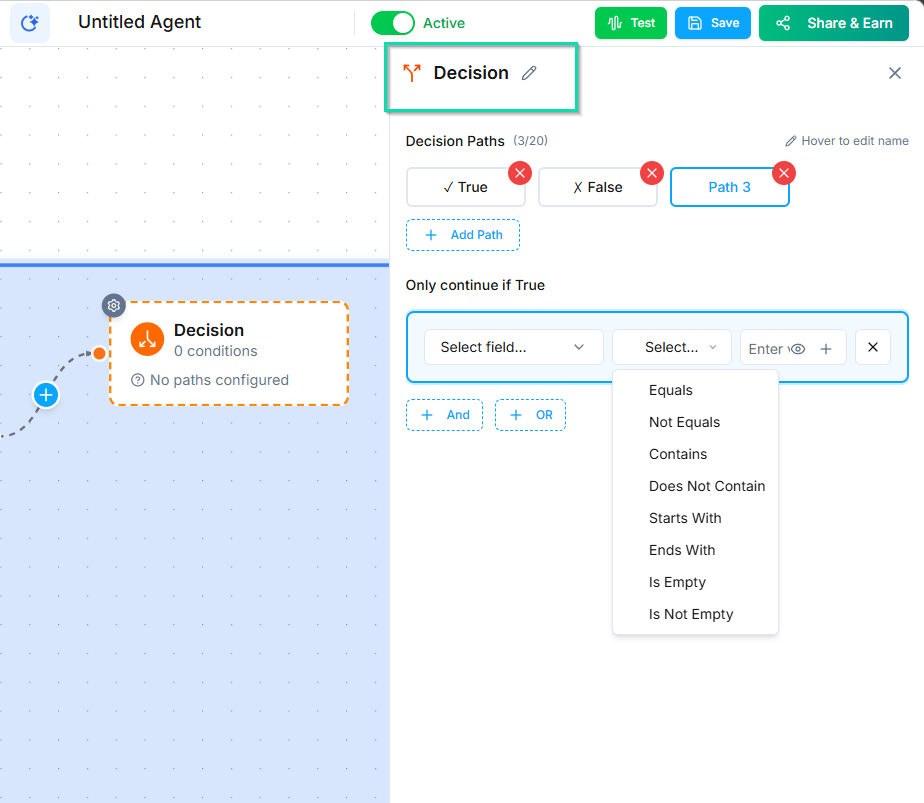
Each condition checks a field against a value using standard operators:
- Equals / Not Equals
- Contains / Does Not Contain
- Starts With / Ends With
- Is Empty / Is Not Empty
AND / OR Logic
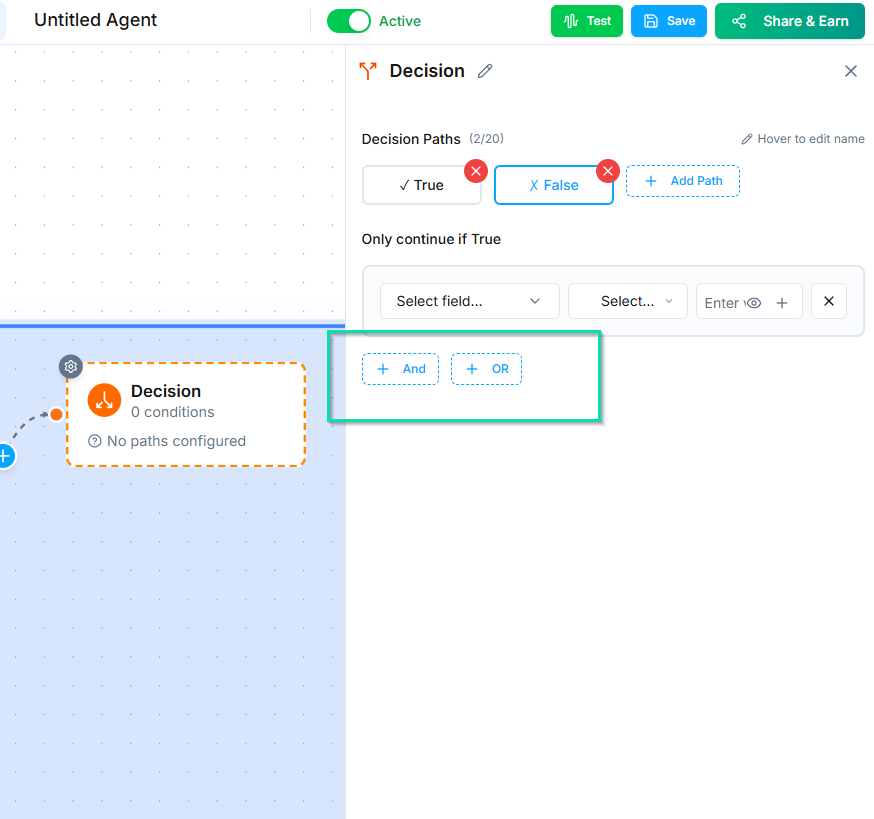
Combine multiple conditions using:
- AND - all conditions must be true for the path to match.
- OR - any one condition being true is enough.
You can mix AND and OR to build precise rules.
Multiple Output Paths
Create multiple branches, each with its own set of conditions. The node evaluates them in order and follows the first match.
Example:
| Path | Conditions | Result |
|---|---|---|
| Path A | Contact has email AND phone number | Full follow-up sequence |
| Path B | Contact has phone number only | SMS-only follow-up |
| Path C | Default (no conditions) | Email collection flow |
Always include a default path (no conditions) as a catch-all. This ensures every contact has somewhere to go, even if none of the specific conditions match.
Decision Node vs. Classifier Node
| Decision Node | Classifier Node | |
|---|---|---|
| Evaluates | Field values and variables | Conversation context |
| Method | Rule-based conditions | AI analysis |
| Use when | You have concrete data to check | You need to interpret tone, intent, or meaning |
| Example | "Does the contact have an email?" | "Is the caller frustrated?" |
Use the Decision Node for data-driven routing. Use the Classifier Node for AI-driven routing.
Next Steps
- Classifier Node - branch based on AI analysis instead of field conditions
- Ask and Save Node - collect the data that Decision Nodes evaluate