Call Forwarding Node
The Call Forwarding Node transfers a live call from the AI agent to a human team member or an external phone number. Use it when callers need to speak with a real person - for complex issues, escalations, or situations where human judgment is required.
Ring Strategies
Choose how the system reaches your team when forwarding a call:
Ring All
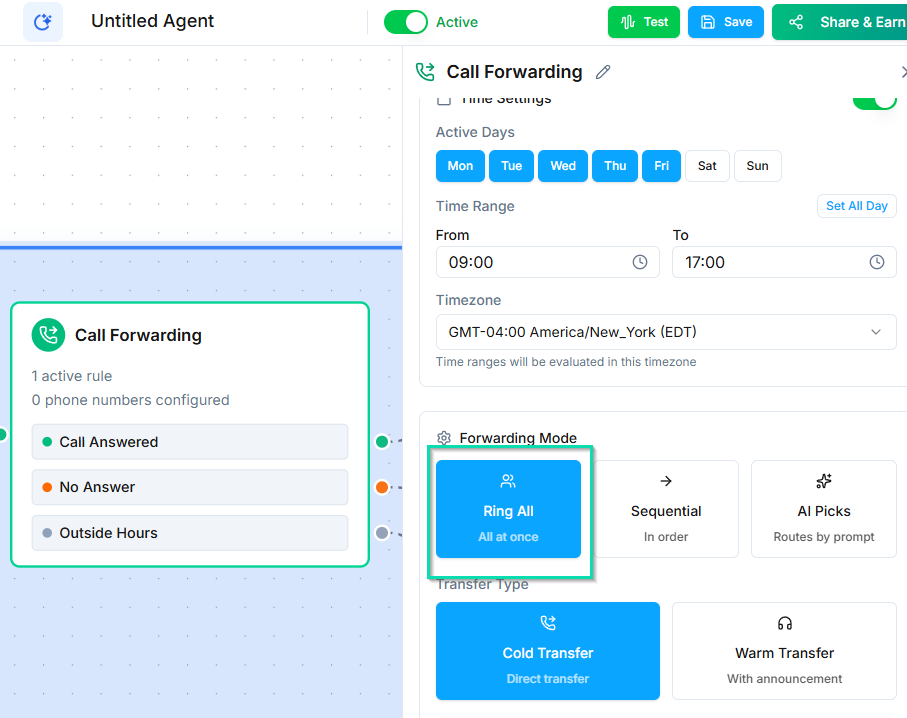
All configured numbers ring at the same time. The first person to pick up gets connected to the caller. Best for teams where any available member can handle the call.
Sequential
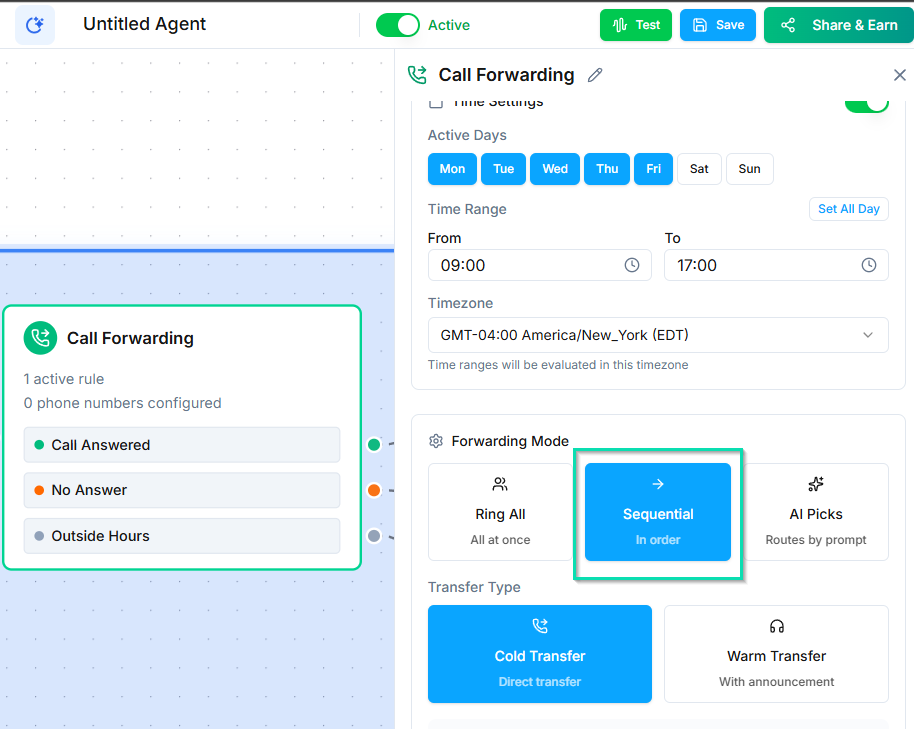
Numbers ring one at a time, in the order you define. If the first person does not answer, the system tries the next number on the list. Best for priority-based routing (e.g., try the account manager first, then the general support line).
AI Picks
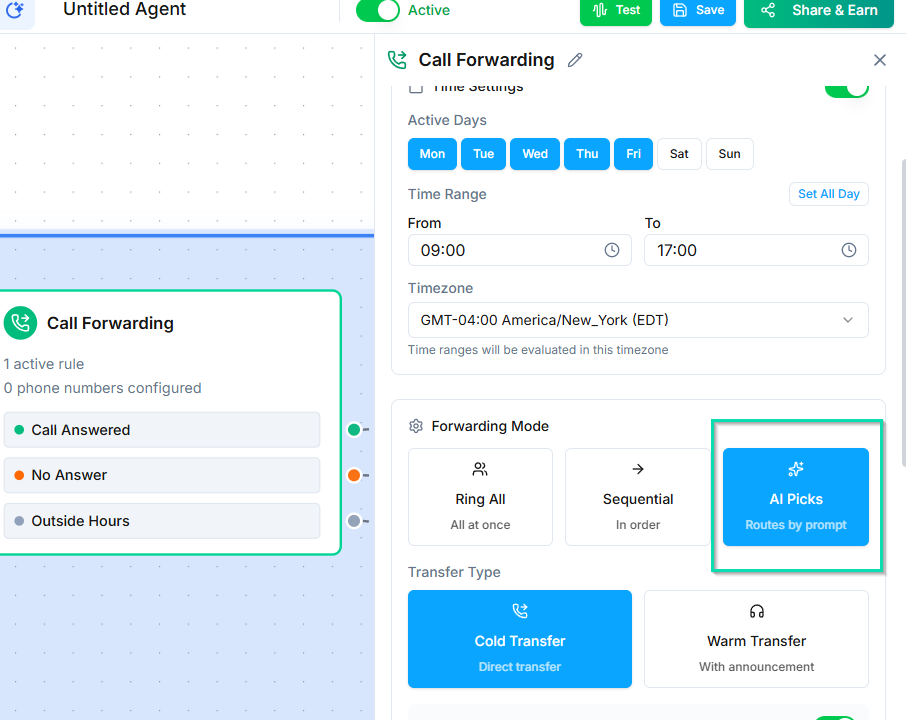
The AI selects the best person to forward to based on the conversation context. You provide a list of team members with descriptions of their expertise, and the AI matches the caller's needs to the right person.
Example: if the caller is asking about billing, the AI routes to your billing specialist. If they are asking about technical setup, it routes to your tech support lead.
Whisper Messages
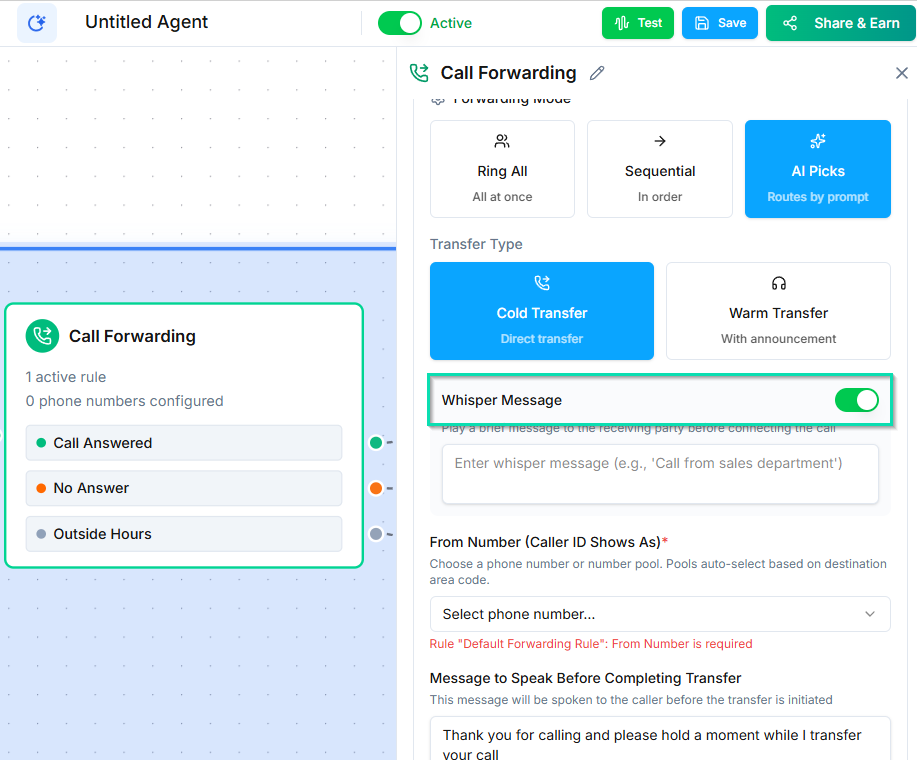
A whisper message is a short audio message played to the human agent before they are connected to the caller. The caller does not hear the whisper.
Use whisper messages to brief the human on what the call is about:
- "This caller is asking about upgrading their subscription."
- "The caller has been verified and needs help resetting their password."
- "High-priority lead interested in the enterprise plan."
This gives your team context before they say a word.
Confirm Key
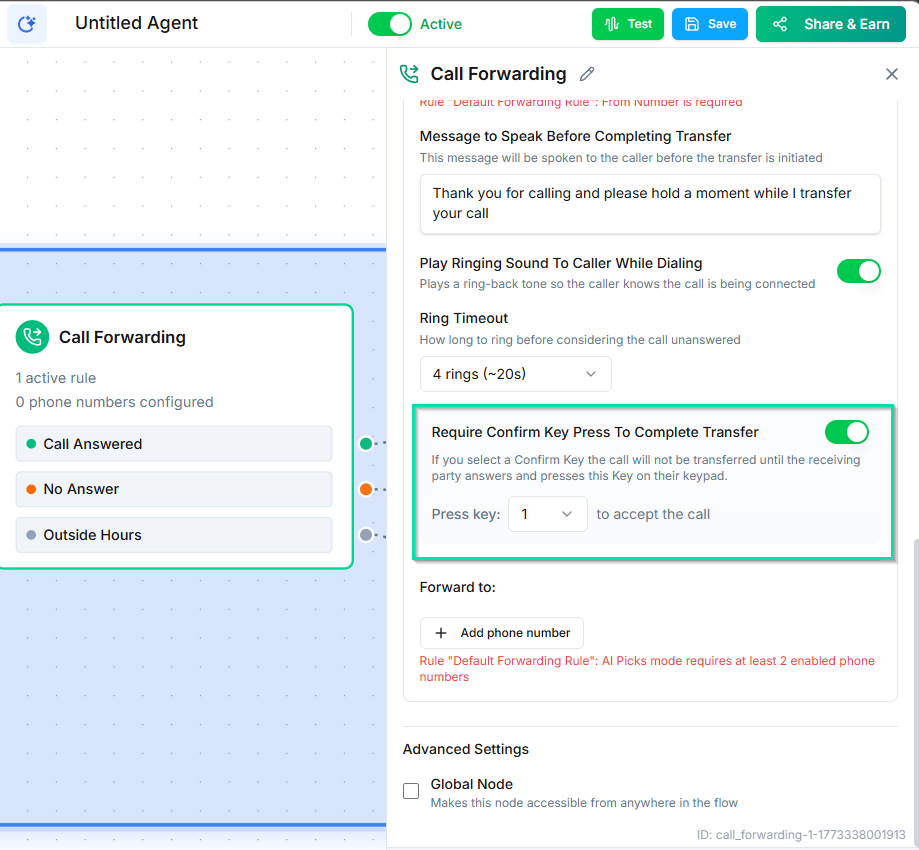
Require the human agent to press a key (such as 1) to accept the call. This prevents the call from being picked up by voicemail systems, which can answer automatically but cannot help the caller.
When enabled:
- The human's phone rings.
- They hear the whisper message (if configured).
- They press the confirm key to accept.
- The caller is connected.
If the human does not press the key, the system moves to the next number (Sequential) or times out.
Ring Timeout
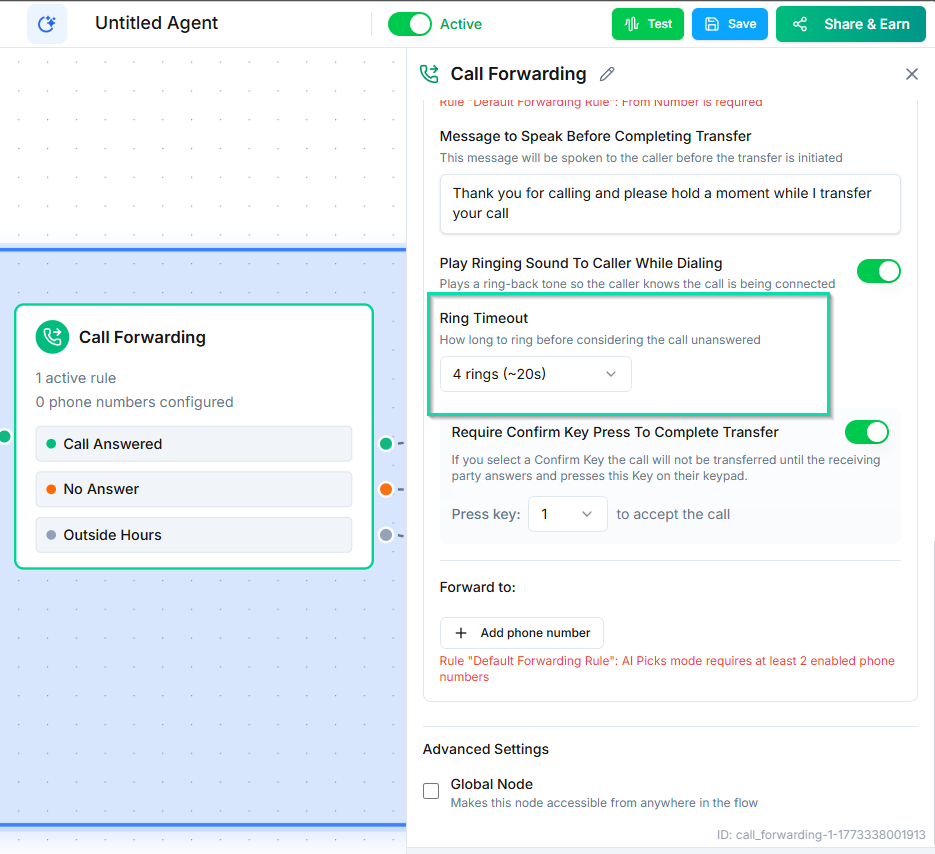
Set how long each number rings before the system gives up or moves to the next number. The default is typically 30 seconds. Adjust this based on how quickly your team typically answers.
Schedule Rules
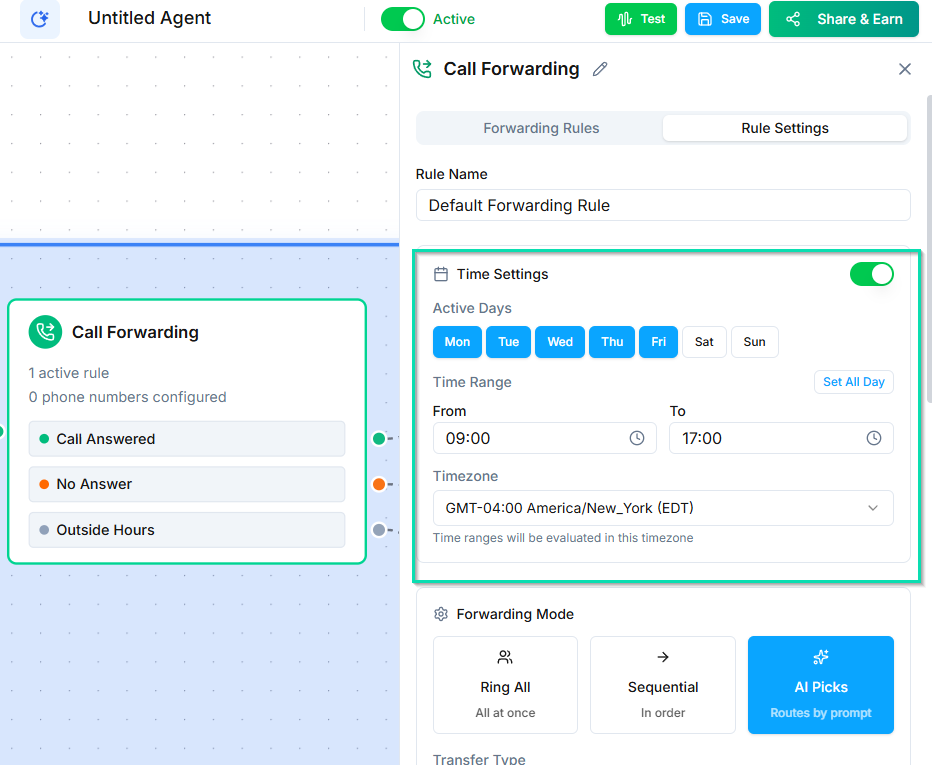
Restrict call forwarding to specific hours. If a call comes in outside of the defined schedule, the workflow skips the forwarding node and continues to the next connected node - where you might play a voicemail prompt or send an SMS instead.
Use this to avoid ringing your team at 2 AM.
Next Steps
- Forward to Agent Node - transfer to another AI agent instead of a human
- Global Node - let callers request a transfer from anywhere in the conversation