Generate Content Node
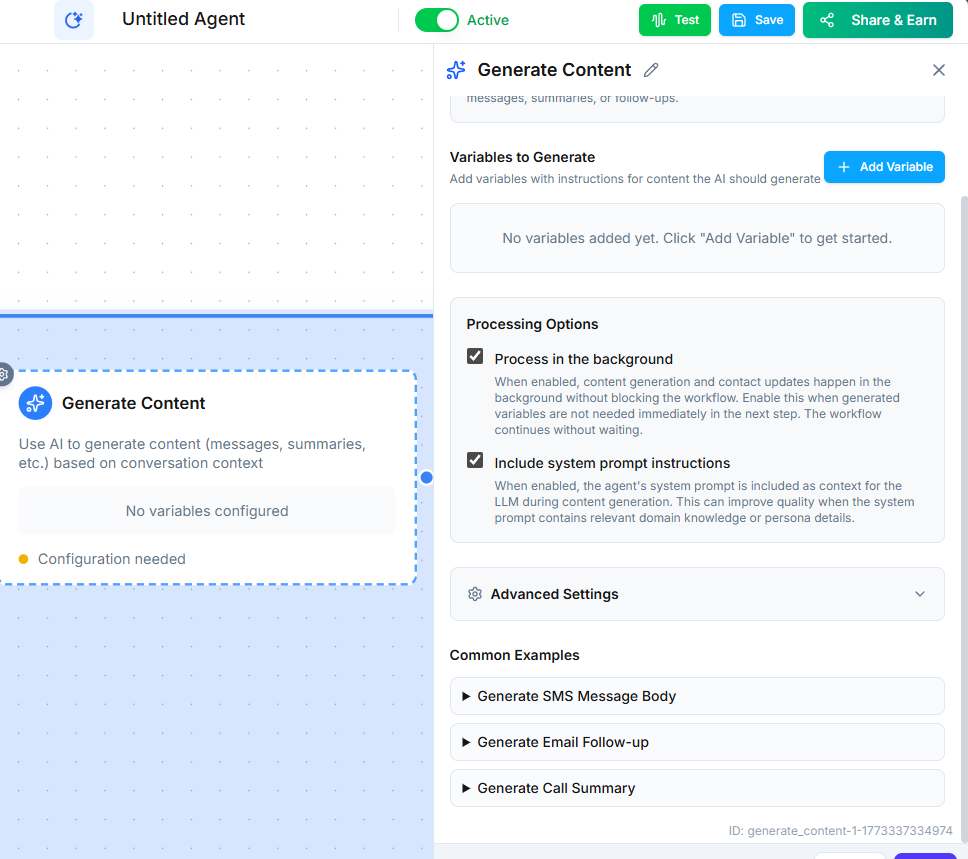
The Generate Content node uses AI to write personalized content based on the conversation context. Use it to create follow-up emails, SMS messages, summaries, or notes that reference what was actually discussed.
Video Walkthrough
How It Works
When the workflow reaches this node, the AI generates text based on instructions you provide. It has access to the full conversation context, including any variables collected earlier in the workflow. The generated content is saved as a variable that you can use in subsequent Email, SMS, or Add Note nodes.
Configuration
- Instructions --- tell the AI what to write and how. Be specific about tone, length, and what to include.
- Output variable --- the variable name where the generated content is stored.
Instruction Examples
- "Write a professional follow-up email summarizing the key points discussed. Keep it under 200 words. Include the next steps we agreed on."
- "Draft a friendly SMS confirming the appointment details and thanking the caller."
- "Create a brief internal note summarizing the caller's issue and the resolution provided."
Common Use Cases
- Follow-up emails --- Generate a personalized email after a sales call that references specific products discussed and pricing mentioned.
- Appointment confirmations --- Write a confirmation message that includes the date, time, and any prep instructions.
- Call summaries --- Create internal notes summarizing what happened during the call for the team.
- Thank you messages --- Draft personalized thank-you texts after service interactions.
Using the Output
The generated content is stored in the variable you specify. To send it:
- Add an Email Node or SMS Node after the Generate Content node.
- In the message body, reference the output variable using the double-curly-brace syntax (e.g., the variable name
follow_up_email).
This lets you generate dynamic, context-aware messages without writing templates for every scenario.
Tips
- Be specific in your instructions. "Write a follow-up email" produces generic results. "Write a 3-paragraph follow-up email in a warm, professional tone that references the caller's budget and their interest in the discussed product" produces much better output. Use variable placeholders (double-curly-brace syntax) to pull in saved data.
- Test with real conversation data to make sure the output meets your quality standards.
- Keep generated content concise --- recipients respond better to shorter, focused messages.
Next Steps
- Email Node --- send the generated content via email
- SMS Node --- send the generated content via text message